
Suggest Words When Entering Text in OS X with the Escape Key
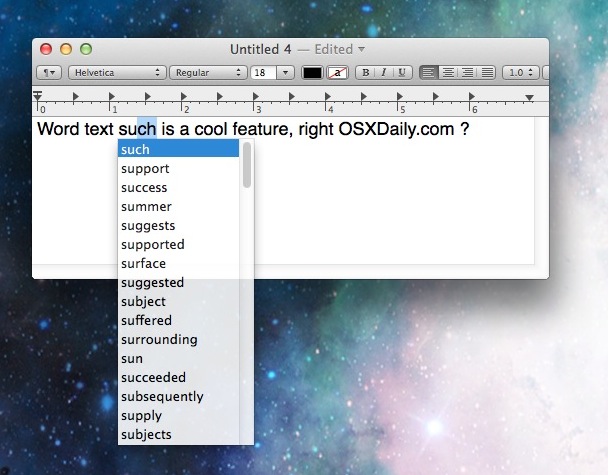
You can suggest words while entering text into many applications by simply hitting the Option+Escape keys while typing in most OS X apps. This is so useful for writing. For example, if you can’t remember how to spell a word but remember that it starts with a V? No problem, type V and then hit Escape and a list of words will come up that start with V…
The screenshot below demonstrates how this is used for word suggestion functionality, showing the feature in action within the TextEdit app of Mac OS X. Try it out yourself, start typing a word, then hit Escape (some older Macs require Option+Escape to summon the suggestion menu)
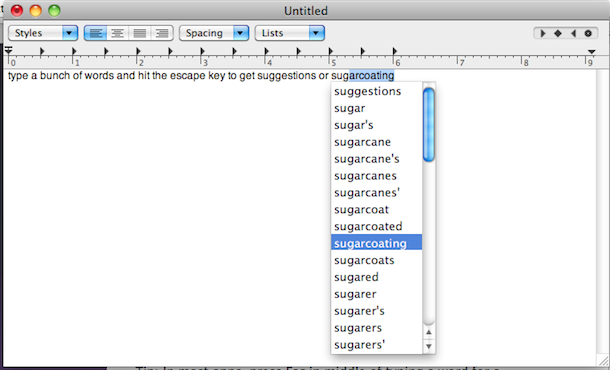
This works in many Mac OS X apps and just about every version of OS X, though it’s not supported in every single app that is built for the Mac. It even works pre-autocorrect, so older versions of Mac OS X without the text correction feature available to them can use this instead to get suggestions offered by the built-in dictionary and use that as a corrective mechanism instead. Speaking of autocorrect, because this works without the feature, if you decide to turn that off for some reason, you can still use this for assistance when spelling words!
You really should try it out yourself to get an idea of how it works, so launch TextEdit or another app that you like to write in and give it a test, you’ll find it’s quite useful!





