
What’s the Maximum Resolution a MacBook Supports for External Displays?
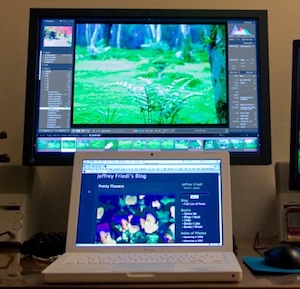 When shopping around for an external monitor, I was asked “What’s the maximum resolution I can get out of my MacBook with an external LCD display?” by a friend of mine. Well the answer depends on which MacBook you have, what video card it has, and what type of video interface you’re going to use (DVI, VGA, DVI-I, etc) to power the external display.
MacBook’s with shared GMA video cards can drive an external display with a resolution of up to 1920×1200 via DVI , or 1600×1200 via VGA
Newer MacBook’s (unibody included) with independent graphics cards can drive external displays with resolutions up to 2560×1600 via dual-link DVI
Both newer and older MacBook’s will support extended desktop as well as mirroring, but note the older MacBook’s with shared GMA video will have a slight performance hit when driving an external display, this is mostly noticeable when doing graphics intensive processing but rarely a significant issue. Either way be sure to get the proper mini-DVI to DVI adapter for your MacBook and external monitor.
[ picture via RegEx.info ]





[…] MacBook or MacBook Pro owner. So what are you waiting for? Grab a good LCD monitor (be sure your MacBook supports the maximum resolution), the Mini DisplayPort to DVI Adapter, and enjoy the screen real […]
[…] a beautiful 22″ LCD. I’d highly recommend getting an external screen that hits the maximum resolution a MacBook supports at 1080p via DVI (newer models and MacBook Pro’s go up to 2560×1600 via dual-link […]
….2048*1152
My (black) MacBook work with Samsung 2343BW 2040*1152 px res external display…
The Nvidia 9400M, which is on anything current but the high-end MacBook Pros, high-end iMacs, and Mac Pros, is just as integrated into the motherboard as Intel’s GMA adapters. It’s much better, but it’s still integrated.