
Tap a Date in Email to Add to Calendar on iPhone or iPad
The next time you get an email with a date mentioned in the body, you can use this neat trick to quickly add that date to your Calendar on iPhone or iPad.
This is easy and it shortens the steps required to add events to a Calendar in iOS. The secret? It’s simple, you can quickly add dates to your iPhone Calendar by just tapping on any date in the Mail client for iPhone or iPad.
How to Add Events to Calendar from Email by Tapping Dates on iPhone or iPad
This is a super easy trick that works like so, on both iPhone and iPad:
- Open the Mail app as usual, and open any email that contains a date
- Tap on the date shown in the email body
- Next, tap on “Create Event”
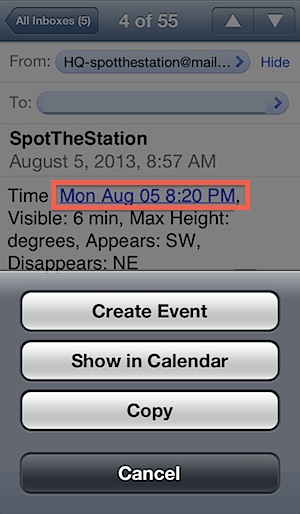
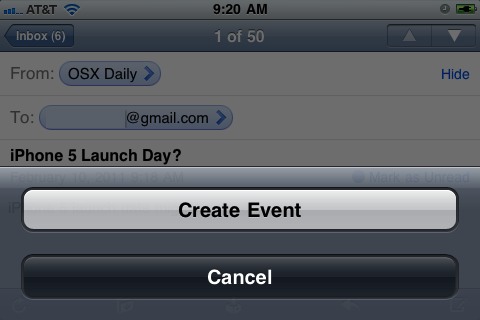
You will instantly be taken to Calendar app where you can set any further scheduling specifics, or just go with what it already has filled in for you.
By default, the event will include the subject line of the email as the default events name, and any date and/or time information included in the region you tapped will be configured as the appointment time in the Calendar app.
This great trick works on just about every iOS version that is still in use today, though appearances can differ slightly depending on what version of system software is installed on the iPhone or iPad.
I’ve used this feature for a long while now and find it to be the fastest way to set appointments that have been discussed in emails, but it’s also great for adding things like concerts, flights, dating details, and so much more. Since we’re all so dependent on our smartphones these days anyway, this is one of those features that is an excellent time saver.
Another handy trick? Email yourself dates and times for quickly adding them to your calendar rather than typing them out, or add dates and events with Siri using simple natural language commands.






This is obvious
This is obviously a clever and useful feature, but do you know how to disable it? I find it a distraction.
Is this date detection available in SMS ?
When I moved from Europe to New Zealand I changed the timezone on my iPhone. But, it seems that there’s a bug with the address book, because it shifted some birthdays of my contacts 2 days ahead. Even if I edit and try to fix the birthday it won’t save the correct date.
Have you seen this bug? Do you know a fix?
I email myself dates all the time to add to iCal, it’s a lot faster than manually entering the data on the dinky virtual keyboard.
duh