
Show or Hide the Mac Finder Window Sidebar
 The Finder window sidebar makes navigation in Mac OS X easier, with quick access points to various aspects of a users home directory, as well as throughout the file system.
Users can choose to show the Finder sidebar, or to hide the Finder sidebar, depending on their individual preferences.
Show & Hide the Mac Finder Sidebar with a Keystroke
You can hide or show the sidebar from Mac Finder windows by hitting Command+Option+S, this command keeps the window toolbar buttons intact across making it different than than clicking on the grey pill-button.
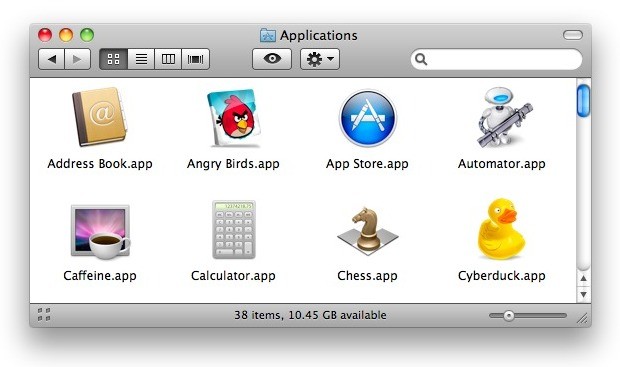
Toggling the keystroke again will reverse the prior selection, either showing or hiding the sidebar of Finder windows.
How to Show & Hide the Sidebar in Mac OS X Finder Manually
If you’re not a fan of keyboard shortcuts, you can also select this option manually through the View menu in the macOS X Finder:
- Pull down “View” menu from a Mac Finder window
- Choose “Hide Sidebar” (or Show Sidebar if you want to see it, conversely)
The settings change is immediate.
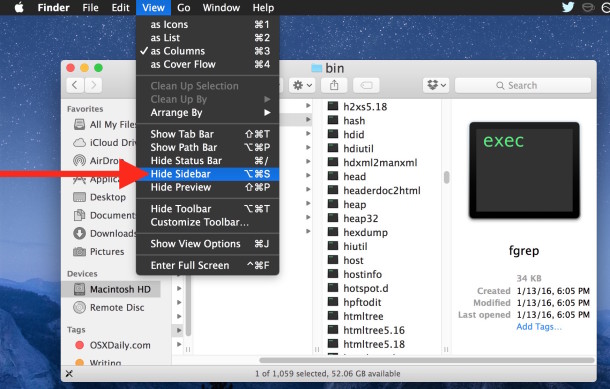
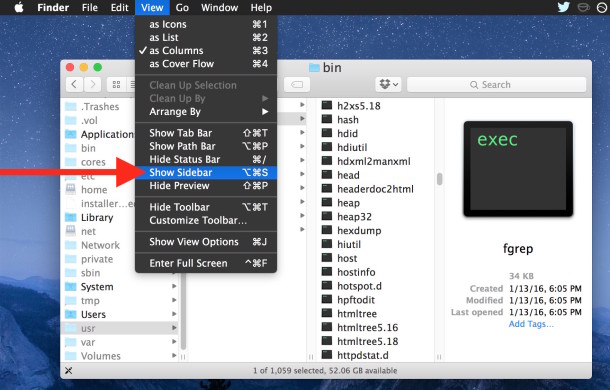
This change will affect all Mac OS X Finder windows unless otherwise specified.






the sidebar is absolutely invaluable to me in my work as a graphic designer/web designer and my hobby as a musician, I could not work anywhere near as fast without it.
This sidebar was so annoying! Thank you! This was so simple to follow and VERY helpful! View -> Hide Sidebar
The question that millions want to know is how to tame the sidebar in Finder windows. I need to set a default that hides the sidebar in all new windows. (I do not need to have a sidebar in a dozen open windows at once.)
The same goes for view style. If I change one window’s view to icon or list or whatever, the next window I open ignores its previous state and switches to what I set in the previous window.
[…] you prefer to keep the toolbar, you can also try hiding the Finder sidebars only with Command+Option+S. That will also maintain the single window option too, unless it has […]
[…] If you’re wondering why my Finder windows don’t have a sidebar, you can remove it with a keyboard shortcut. […]
The sidebar reminds me of Windows, it looks nice turned off. It would be good if the grey button would activate this, I have never understood the purpose of it otherwise, it just makes windows look like Mac OS 9