
Summon Dictionary & Wikipedia for Words in Mac OS X with Three-Finger Tap
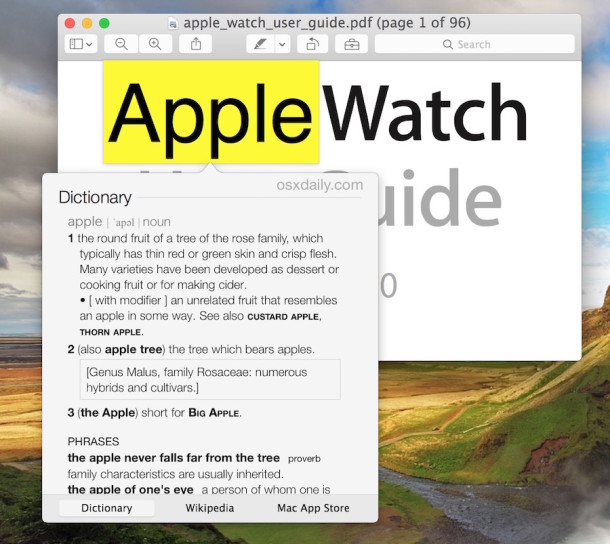
Did you know you can instantly access a dictionary, thesaurus, or Wikipedia entry for a word or phrase, from nearly anywhere in Mac OS X? All you need to do is remember a super easy three-finger tap trick.
How to Use Tap to Define Words on the Mac
Here’s how the three-fingered tap-to-define trick works on Mac OS X, which may be familiar to users on the iOS platform:
- Hover the mouse cursor over a word (or select a word or phrase with the cursor)
- Apply a three-finger tap (not a click, just a tap) onto the trackpad while the cursor is hovered over the selected word
You’ll instantly see the dictionary, thesaurus, and Wikipedia entry for the selected item, if it exists of cousre.
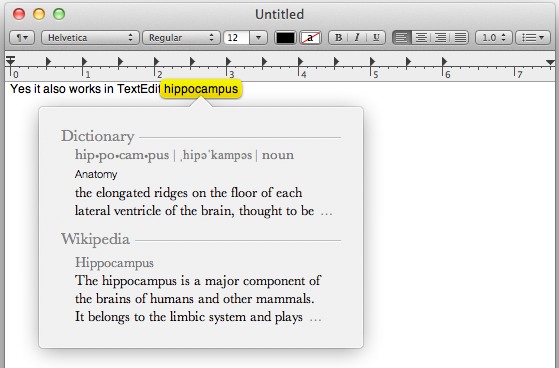
Applying a three-fingered tap on any word in a modern Mac app brings up this handy pop-up dictionary, thesaurus, Wikipedia summary. If the summary isn’t enough information, you can select to read more directly from the QuickLook-esque popup.
This is a students dream, but it should be useful to anyone reading things on the web or elsewhere when they run into a word they want some more information on, whether it be just a simple definition or the entire Wikipedia backed entry on a topic.
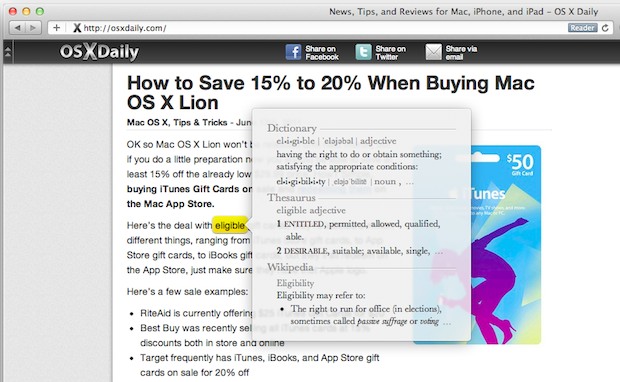
Encyclopedic pop-ups appear to work on any Mac with a multitouch trackpad and in all native OS X Cocoa apps – Safari, TextEdit, Pages, etc – it’s an OS-level feature that developers can include in their apps too.
This feature is included in all versions of OS X after first being introduced with the release of Mac OS X 10.7 Lion some time ago, but you’ll find the same abilities, with further enhancements even, through OS X Mountain Lion 10.8, OS X Mavericks 10.9, OS X Yosemite 10.10, and beyond.
If you don’t have this feature available, be sure you try in a supported application (most are these days), and be sure that you’re running a modern version of Mac OS X software. You’ll also obviously need a trackpad or a touchpad surface, like a Magic Mouse or Magic Trackpad, if not a Mac laptop, to have the touch feature available. As mentioned already, iOS devices have a similar tap-to-define feature, which is really handy for iPhone and iPad as well.






What is the procedure for the same respond under El Capitan because the here described “tricks” do not work. What am I missing? Command, Control and D sometimes work but three fingers on the Trackpad never respond to anything then Swipe, Notifications. Mission, Expose, Launchpad, Desktop.
This works in El Capitan 10.11 and OS X 10.12.
Check your Trackpad prefs to make sure it is enabled – three finger lookup “Look up and data detectors” under the Point and Click setting tab
[…] individual definitions are easier to find by hovering over a word with the cursor and performing a three-fingered tap to define […]
[…] you can immediately access a dictionary definition by three-finger tapping on a single word in Mac OS X or double-tapping in iOS, the Mac also provides another instant dictionary option: […]
[…] should be familiar to Mac users, where a very similar feature is in OS X Lion, which summons a dictionary with a three-fingered word […]
You really saved my skin with this ifnoratimon. Thanks!
[…] via OSXDaily […]
Will somebody please tell Steve Jobs that not everyone has dexterous fingers to do all this gestures movements stuff.
I don’t want a damn trackpad, or trackpad on a mouse (Magic Mouse) I just want a mouse with buttons that works.
For godsake an iMac or Mac Pro is NOT a laptop.
Lion isn’t taking any functionality away. You can still just use your mouse and buttons. Everything in this post is optional.
Get yourself a $200 Compaq and stop kvetching. Any wireless mouse will work on a Mac. Duh.
Thanks! ;-P
Ha! James, I like your sense of humor. :)
Leopard / Snow Leopard already does this, just not with the “three-fingered tap”.
Hold down Control + ⌘ and hit “D”.
What’s next? An eight-finger + elbow tap to launch TimeMachine? LOL
I tried the 8 finger elbow tap and it didn’t work
:(
Snow Leopard – double click, right click = Search Google for that word.