
Run X11 in Mac OS X with XQuartz
Advanced Mac users may have noticed that X11 is no longer bundled with OS X, and it’s also no longer available as a separate installation option through Developer Tools. Instead, to run X11 on OS X Mountain Lion (and later), you’ll want to download and install the free XQuartz system, which bundles all the necessary libraries and apps together that are needed to run a full X11 Windowing System perfectly atop OS X.
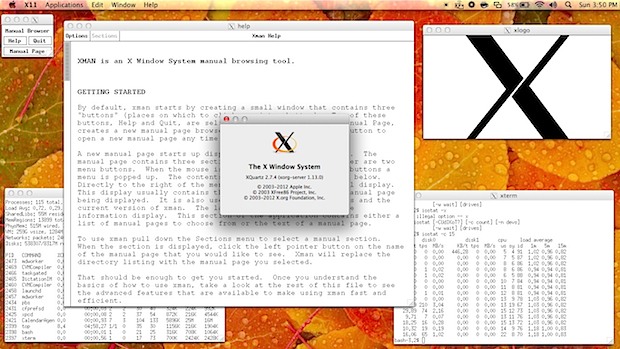
For some background, XQuartz is an open source community project that was actually started by Apple, and they continue to contribute to the project to make sure it has full compatibility with each new release and update of OS X. though much of the project is now in the hands of X.org and XFree86.
Getting XQuartz and X11 running in Mac OS X is very easy, here’s all you will need to do:
- Download XQuartz free from MacOSForge.org, it’s about 200MB to download and install
- Launch the pkg installer and walk through the installation as usual
- When finished, XQuartz will be installed as an application within the /Utilities/ folder, and can also be found in Launchpad
- Open XQuartz app to launch the X11 Window Manager and get started
Launching XQuartz gives you a few basic X11 apps from the get-go, including an xterm for command line access outside of the standard Terminal app, xman manual page browser, and the always amazing xlogo which just draws the classic X logo on screen. Third party apps that rely on X11 will need to be installed separately, but will launch through XQuartz as expected.
The average Mac user probably won’t have much use for X11 now that popular apps like Gimp are self-contained, but it can be fun to poke around with apps from the unix world and it’s also required for running some emulators, though that’s the topic of another article.






I’m trying to run a game I purchase on GoG.com and even with xquartz installed and running it’s telling me that x11 is missing “failed to activate core device!”
Someone can help me on this one?
Thanks!
Does anyone know how to configure XQuartz to open its terminal window automatically at launch, instead of having to do it manually once the program starts?
Just correcting my email – sorry!
My question was – how to force an open terminal window on XQuartz launch, instead of having to open one manually.
Thats really useful
got the libraries work just fine,, some third party apps required that and they are now running just fine
Thanks alooot