Subscribe to OSXDaily

Subscribe to RSS Subscribe to Twitter Feed Follow on Facebook Subscribe to eMail Updates

Shared on Facebook

Shop at Amazon

Ad

OSXDaily on Facebook

Search Mac Setups

Mac Setups: iOS Developers Home Office

Mar 3, 2012 - 10 Comments

iOS Developers Home Office

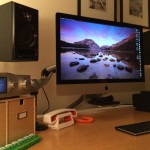
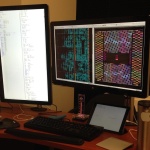
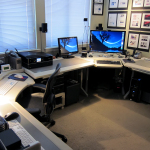
Ever wonder what an iOS developers home office looks like? This great Mac setup should give you an idea. Coming to us from Henry in Florida, this setup is used primarily for iOS development and photography. There’s a lot of great Apple hardware here, including:

  • 2011 MacBook Air i7 with 256GB SSD
  • 2008 Mac Pro with 2 Xeon Quad-Core CPU’s, 16GB RAM, and 2 3TB hard drives
  • 2011 Mac Mini Server
  • 27″ Thunderbolt Display attached to the MacBook Air
  • 30″ Apple Cinema Display connected to Mac Pro
  • iPad 2
  • iPad 1 3G
  • Original iPhone, iPhone 3GS, iPhone 4S, and two iPhone 4′s
  • Logitech Mac Keyboard

There’s a Magic Trackpad and Magic Mouse in there too, and the MacBook Air looks to be on an mStand from Rain Design.

If you’re wondering why so many iPhones and iPads are necessary, keep in mind developers need a handful of devices around to test for compatibility and to find obscure bugs that only pop up in certain versions of iOS.

Great Mac setup Henry!

Send us pictures of your Apple & Mac hardware setups! Email them to osxdailycom@gmail.com and include some brief details on the hardware and what you use it for.

Mac Setups: MacBook Air 13″, Samsung 25″ Display, and iPad 2

Feb 25, 2012 - 8 Comments

MacBook Air office

This classic Mac desk setup comes to us from Richard, who has a range of Apple gear to get work done. Shown in the picture is:

Rounding out the hardware but not shown is an iPhone 4S too. Great Mac setup Richard, thanks for sending it in!

Send in pictures of your own Apple & Mac setups to osxdailycom@gmail.com – include brief details on the hardware and what you use it for.

Mac Setups: iMac Amateur Music Studio

Feb 18, 2012 - Leave a Comment

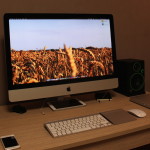
iMac and Keyboard

This weeks Mac setup comes to us from Ben, a graphic and motion designer from Italy who spends his spare time composing music. The hardware he uses for these pursuits includes:

  • iMac 21.5″
  • Apple Wireless Keyboard
  • Magic Mouse
  • M-Audio KeyStudio 49 (Keyboard)
  • AKG – K66 headphones
  • Logitech speakers

Great Mac setup Ben, thanks for sending this in!

Submit pictures of your own Apple & Mac setups to osxdailycom@gmail.com – include some details on the hardware and what you use it for.

Mac Setups: MacBook Pro 13″ & External LG 22″ Display

Feb 11, 2012 - 2 Comments

MacBook Pro Desk

This nice and clean Mac setup comes from reader Jason Y. and is used for graphic design and photo editing. Rather than going with the defacto Apple keyboard and mouse, Jason chose a wireless mouse and solar keyboard from Logitech, making it stand out a bit from the pack. Hardware shown in this setup consists of the following gear:

I have an older MacBook Pro 13″ on the same Griffin laptop stand with an external monitor, and I can confirm that it makes for a pretty nice desk arrangement that emphasizes productivity. Using a laptop stand provides for better ergonomics by raising the display closer to eye level, and also helps keep the MacBook Pro cool by allowing for improved airflow. I’ve never used a solar powered keyboard before, but it’s very well rated on Amazon and not having to deal with swapping out dead batteries constantly sounds like a nice perk.

Another great Mac setup, thanks for sending this in Jason!

Submit pictures of your own Apple & Mac setups to osxdailycom@gmail.com – please include some details on the hardware and what you use it for.

Mac Setups: Traveling MacBook Pro on a Rooftop in Goa, India

Feb 4, 2012 - 13 Comments

MacBook Pro roof desk in Goa, India

For those of us up north battling the cold winter, this Mac setup at sunset is sure to inspire some envy. Reader Pavel G is spending his winter in balmy Goa, India, and set up a desk on the rooftop of a house near the beach. Here’s the hardware he’s using to be productive while beachside in the sunny tropics:

  • MacBook Pro 15″
  • iPhone 4
  • Magic Trackpad
  • German Maestro headphones

We post a lot of Mac setups with tons of fancy desks and great hardware, but some of my favorites are these untraditional workstations, ranging from tents in Australia, to boats in Germany, or motorcycles in the middle of the American southwest. Keep ‘em coming!

Thanks to Pavel for sending this in! Submit your own Mac setups to osxdailycom@gmail.com

Mac Setups: MacBook Air with a Thunderbolt Display

Jan 28, 2012 - 19 Comments

MacBook Air and Thunderbolt display

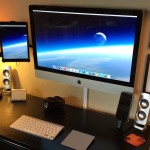
The MacBook Air is widely considered to be one of the best Macs ever made. It’s incredibly portable, but also powerful enough to serve as a workstation, and setups like this one sent in by Stephen V really show off the flexibility of the ultraportable Apple laptop. Combined with a Thunderbolt display, the MacBook Air can be docked and expanded into an impressive desktop machine while still retaining it’s quick grab-and-go attribute that makes it so popular with anyone on the move. Here’s what Stephen’s desk setup consists of:

  • Macbook Air 13″ 1.8 Ghz Core i7 CPU, 4GB RAM, 256GB SSD
  • Twelve South BookArc stand for MacBook Air
  • Apple Thunderbolt 27″ Display
  • Mac Wireless keyboard
  • Logitech Performance MX Mouse
  • White Glass Kidney Bean shape desk

Other Apple hardware not shown in the picture includes an iPhone 4S, first gen Apple TV, Airport Express, and Airport Extreme base station. Thanks for sending in your great setup Stephen!

Check out more Mac setups in our archives.

Mac Setups: Simple MacBook Pro Desktop

Jan 21, 2012 - 8 Comments

MacBook Pro and iPhone

Simple desks are often the best, with nothing unnecessary to distract you from getting things done. This nice nearly wireless reader submitted Mac setup comes to us from Roland C. Sure there’s a power cable for the iPhone and probably for the MacBook Pro too, but the rest of this is uncluttered joy. Here’s what’s featured in the shot:

  • Macbook Pro 13″
  • iPhone 4s
  • Wireless Keyboard
  • Magic Mouse
  • Apple Remote

Thanks for sending this in Roland! Send in your desk shots to: osxdailycom@gmail.com

Mac Setups: Mac Mini & MacBook Pro Video Editing Workstation… in a Tent

Jan 14, 2012 - 5 Comments

Mac setup in a tent

Chris W sent in this very unique Mac setup of a portable video editing station inside of a tent! Why would someone edit video in a tent? Here’s what Chris says about the workstation:

Here is a setup that I was using a couple of weeks ago while covering a local motor sport event. Keep in mind, this was setup in a tent in the middle of nowhere.

On the left is my MacMini with 20″ Samsung LED screen, and on the right is my 15″ Macbook Pro. The computers were kept busy 24 hours a day for the 3 days of the event with the Macbook Pro converting the video files, then importing them into final cut pro. At night I also had a video extender running to a projector 50m away so the competitors could see footage from the days racing. The Mac Mini was importing photos, and processing video files during its idle times. Both computers were also backing up any files to the external HDD’s in the middle. The photo was taken just after everything was wired and the switch was flicked, I should have gotten one with everything fired up and working, but theres always next year hey.

I am fairly certain the “middle of nowhere” he is referring to is somewhere in Australia, but could be wrong. This reminds me a little bit of the MacBook Air motorcycle setup from the American southwest desert, you’ve gotta love people putting their portable gear to use.

Great setup Chris, thanks for sending this in!

Mac Setups: Three Decades of Apple, From the SE/30 to the iPad 2

Jan 7, 2012 - 11 Comments

All-in-One Macs

Like any longtime Apple fan, I’m a sucker for retro Apple gear, and this great reader submitted Mac setup jumps across over three decades of Apple hardware, showing the evolution of all-in-one hardware from the late 1980′s to today.

  • Macintosh SE/30 from 1989
  • iMac 233MHz from 1999
  • iMac 24″ from 2008
  • iPhone 4 from 2010
  • iPad 2 from 2011

By the way, isn’t it awesome that the Mac SE/30 still works?

In some ways, this setup mirrors a few of Apple’s most significant Mac announcements, with the SE/30 being the first compact Mac to ship with a 1.44MB floppy drive standard, to the original iMac which was the first Mac (or PC) to ditch the floppy altogether, and the modern aluminum iMac which helped spread the aluminum unibody across the product line. Of course, the iPhone 4 and iPad 2′s influence is a bit more obvious and reach far beyond Apple, but they still changed the Mac platform with features ranging from multitouch gestures to the simplified UI experience of OS X Lion and Launchpad.

This is a great Mac setup, thanks for sending it in Robin!

Check out more Mac setups

Mac Setups: Huge Mac Collection

Dec 31, 2011 - 24 Comments

Lots and lots of Macs

Typically we try to just post workstations for Mac setups, but Rejean H sent in pictures of what amounts to a giant collection of Macs built up over the years, and we just had to post it.

Ranging from some of the first Macs to be released, to the Macintosh Portable, Mac Classic, 20th Anniversary Mac, Power Mac 7200, 9500, Performas, eMac, G4 Cube, clamshell iBook, to modern aluminum iMacs and a new MacBook Air, this is a room full of one huge collection of Apple gear.

Check out more pictures below:
Read more »