Subscribe to OSXDaily

Subscribe to RSS Subscribe to Twitter Feed Follow on Facebook Subscribe to eMail Updates

OSXDaily on Facebook

OSXDaily on Google+

Shop at Amazon

Ad

Shared on Facebook

Search keyboard shortcut

keyboard shortcut

Access Terminal from Anywhere in Mac OS X via Keyboard Shortcut with TotalTerminal

Jun 18, 2012 - 3 Comments

TotalTerminal is an excellent tweak for those of us who frequently use the command line, it provides instant access to the Terminal from anywhere in Mac OS X with just a keyboard shortcut. Modeled after the classic Quake console, an official Terminal.app prompt drops down from the top of the screen where you can quickly … Read More

Instantly See All Keyboard Shortcuts for Mac Apps with CheatSheet

May 23, 2012 - 33 Comments

There are so many keyboard shortcuts throughout Mac OS X and it’s myriad of third party apps that it’s easy to forget them or get lost trying to memorize the sea of keystrokes for each app. This is where CheatSheet will make your life easier, it’s a tiny free application that sits in the background … Read More

Quickly Minimize Windows in Mac OS X with a Keyboard Shortcut or Double-Click

May 21, 2012 - 16 Comments

Virtually everyone knows you can click the yellow pill button in the upper left corner of a window to minimize a window in Mac OS X, but there are actually a few other ways minimize windows faster than that. The first is my preferred method which is a quick keystroke, and the other lets you … Read More

Set a System Preferences Keyboard Shortcut in Mac OS X

May 13, 2012 - 3 Comments

If you find yourself adjusting things in System Preferences often enough, it’s helpful to create a universal keyboard shortcut to quickly launch into the control panels. Here is how to do that in Mac OS X: Open System Preferences and click on the “Keyboard” panel Click “Keyboard Shortcuts” and select “Application Shortcuts” from the list … Read More

Navigate the Dock in Mac OS X with These 8 Keyboard Shortcuts

May 8, 2012 - 8 Comments

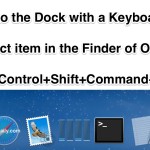
For the power users out there who prefer to leave their hands on the keyboard as much as possible, you’ll be pleased to know that the Dock in Mac OS X can be used exclusively from the keyboard with full functionality. With just the keys, you can navigate around Dock items and apps, access the … Read More

11 Must-Know Spotlight Keyboard Shortcuts

Mar 9, 2012 - 17 Comments

Spotlight is Mac OS X’s powerful built-in search engine. Not only will it find just about any file or folder buried on your drives, but it also doubles as a fantastically quick application launcher. If you aren’t using Spotlight on a regular basis yet you really should start doing so, and with that in mind … Read More

10 Keyboard Shortcuts for Text Navigation & Manipulation in the Command Line

Feb 27, 2012 - 6 Comments

We recently covered 12 keyboard shortcuts to help navigate around and manipulate text in Mac OS X, and now we’ll show you a handful of similar tricks for use at the command line. These shortcuts can be used just about anywhere in the Terminal, including the bash prompt. 7 Navigation Shortcuts Navigate around blocks of … Read More

12 Keyboard Shortcuts for Navigating & Selecting Text in Mac OS X

Feb 23, 2012 - 20 Comments

Work with text often? You can navigate, select, and manipulate text faster than ever before by remembering these twelve keyboard shortcuts.

Minimize and Hide All Windows in Mac OS X with Command+Option+H+M

Feb 7, 2012 - 17 Comments

By combining the Hide All shortcut with the minimize keyboard shortcut in Mac OS X Lion, you can use a third ‘Minimize and Hide All’ shortcut by hitting the Command+Option+H+M keys. As the title suggests, this keyboard shortcut will hide all other applications and windows, in addition to minimizing the currently active application or window, … Read More

Use a Secondary Cut And Paste Function to Avoid Overwriting Clipboard Contents

Feb 1, 2012 - 5 Comments

Mac OS X has a secondary Cut and Paste function that provides the ability to cut and paste additional information without overwriting existing clipboard contents. Highlight something and use the following keystrokes: Control+K cuts the content Control+Y pastes the content This cut and paste function works with images and text, but notice that it will … Read More