Subscribe to OSXDaily

Subscribe to RSS Subscribe to Twitter Feed Follow on Facebook Subscribe to eMail Updates

OSXDaily on Facebook

OSXDaily on Google+

Shop at Amazon

Ad

Shared on Facebook

Search Mac OS X 10.8

Mac OS X 10.8

Add Speech Bubbles to Pictures with Preview in Mac OS X

Oct 5, 2012 - 2 Comments

The latest version of Preview app from OS X Mountain Lion onward feature a couple of fun menu items that let you quickly add comic book styled speech bubbles to any photo. It’s extremely easy to use, but it’s also easy to overlook, so here’s how to use them to add some humor to any … Read More

Supplemental Update 1.0 Released for OS X 10.8.2 and OS X 10.7.5

Oct 4, 2012 - 9 Comments

Apple has issued minor “Supplemental Updates” to both OS X Lion and OS X Mountain Lion. The small releases focus on resolving a few prominent bugs, though the most noticeable is probably the fix for Lion users who are encountering extraordinarily long waits with Time Machine backups. The updates are available through  Apple menu … Read More

Automatically Add Twitter Usernames & Profile Pictures to Contacts from OS X

Oct 1, 2012 - 5 Comments

Now that Twitter is deeply integrated into OS X from Mountain Lion onward, you can easily add Twitter usernames and their accompanying profile pictures to your existing Contacts information automatically. This is done by crossmatching data in your Contacts list with Twitter email addresses and phone numbers, which basically guarantees accuracy. Open System Preferences and … Read More

Use Notes as a Super Clipboard to Sync Data Between Macs and iOS Devices

Sep 30, 2012 - 39 Comments

Notes has been around in iOS for a while, but it’s new to the Mac with OS X Mountain Lion, and if you think it’s just a place to keep track of a few thoughts you’re greatly underestimating the usefulness of this app. In fact, Notes can function as a powerful cross-platform clipboard, because not … Read More

Hide Software Updates from the App Store in Mac OS X

Sep 27, 2012 - 6 Comments

Ignoring specific software updates is a bit different now in OS X Mountain Lion than it used to be now that updates are handled by the Mac App Store. From Mountain Lion onward, if you don’t want to install an update you will need to hide it from being visible. Hiding Software Updates from the … Read More

Encrypt Time Machine Backups with OS X

Sep 26, 2012 - 4 Comments

Time Machine backups can be encrypted right from your Mac. This means the data is extremely safe from prying eyes and the very unlikely event of a cracking attempt, and it also means you’ll need a password to access the encrypted backups yourself. Enabling this feature can be done in two ways: Enable Encryption on … Read More

Stop “Save As” From Changing Original File in OS X Mountain Lion

Sep 25, 2012 - 15 Comments

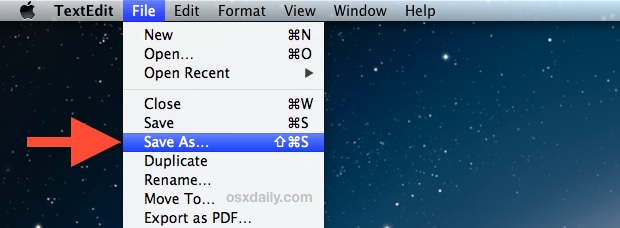
“Save As” is back in OS X Mountain Lion, but many users have complained of how it modifies the original file in addition to the newly saved file, thereby defeating the purpose of how many people use Save As. If this bothers you, you’ll be pleased to discover that from OS X 10.8.2 onward, there … Read More

How to Restart Notification Center in OS X

Sep 18, 2012 - 2 Comments

Notification Center in OS X is great but it can act up every once in a while and either stop updating completely or freeze up and become inaccessible. If you encounter any such issue, or modifications were made to Notification Center and just need to reset it, here’s all you need to do: Hit Command+Spacebar … Read More

Summon a Spelling & Grammar Check Tool in Mac OS X with a Keyboard Shortcut

Sep 17, 2012 - 7 Comments

Mac OS X includes a powerful built-in spelling and grammar tool that runs automatically when you type in many apps, but a separate panel can be summoned from just about any text entry point or app that provides additional support for the feature. To bring up the “Spelling and Grammar” panel in a compatible Mac … Read More

How to Encrypt an External Drive Quickly in Mac OS X

Sep 17, 2012 - 7 Comments

It’s now easier than ever to quickly encrypt external disks and hard drives from Mac OS X, whether they are USB drives, Firewire, or even SD cards. While you can still use the traditional route to encrypt disks through Disk Utility, from OS X Mountain Lion onward the process is streamlined directly into the Finder … Read More