Subscribe to OSXDaily

Subscribe to RSS Subscribe to Twitter Feed Follow on Facebook Subscribe to eMail Updates

OSXDaily on Facebook

OSXDaily on Google+

Shop at Amazon

Ad

Shared on Facebook

Search OS X Mountain Lion

OS X Mountain Lion

Summon a Spelling & Grammar Check Tool in Mac OS X with a Keyboard Shortcut

Sep 17, 2012 - 7 Comments

Mac OS X includes a powerful built-in spelling and grammar tool that runs automatically when you type in many apps, but a separate panel can be summoned from just about any text entry point or app that provides additional support for the feature. To bring up the “Spelling and Grammar” panel in a compatible Mac … Read More

How to Encrypt an External Drive Quickly in Mac OS X

Sep 17, 2012 - 7 Comments

It’s now easier than ever to quickly encrypt external disks and hard drives from Mac OS X, whether they are USB drives, Firewire, or even SD cards. While you can still use the traditional route to encrypt disks through Disk Utility, from OS X Mountain Lion onward the process is streamlined directly into the Finder … Read More

Speak Selected Text with a Keystroke in Mac OS X

Sep 15, 2012 - 1 Comment

The excellent OS X text to speech function can be activated with a simple keystroke, but first you have to enable the feature: Open System Preferences from the  Apple menu Choose the “Dictation & Speech” panel then select the “Text to Speech” tab Check the box next to “Speak selected text when the key … Read More

Instantly Open Anything with Quick Look in OS X Using a Simple Tap Gesture

Sep 14, 2012 - 7 Comments

Did you know you can instantly open any file into Quick Look with just a simple gesture? From the Finder in OS X Mountain Lion onward, all you need to do is hover the cursor over the file in question, then do a three-fingered single tap on the file to immediately launch the document into … Read More

Update OS X Mountain Lion Without the App Store

Sep 14, 2012 - 6 Comments

Using the command line softwareupdate tool you can update Mac OS X system software without using the App Store. This is particularly useful for Mac users running OS X 10.8 or later where the software update system is primarily handled through the Mac App Store, but can occasionally either go awry or be inaccessible in … Read More

How to Enable PHP in Apache for Mac OS X Mountain Lion

Sep 10, 2012 - 6 Comments

OS X Mountain Lion ships with PHP 5.3.13 preinstalled, though if you start the built-in Apache server, you will find PHP isn’t enabled by default. Changing this is easy, and if you’re a web developer and want PHP running on your local Mac with OS X 10.8 or later, follow along to have it working … Read More

How to Invert the Mac Screen Colors in OS X Mountain Lion

Sep 10, 2012 - 6 Comments

Inverting the colors of a Mac display is a fairly common accessibility feature, and it’s also pretty handy for when you’re reading at night because it puts most screen text into a white on black mode like iOS. Prior versions of Mac OS X let you invert the display by hitting the Command+Option+Control+8 keyboard shortcut, … Read More

3 Easy Ways to Share Files Between Macs

Sep 9, 2012 - 13 Comments

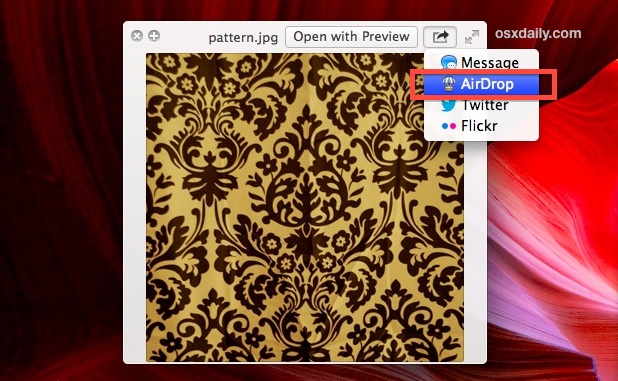
There are a variety of different ways to transfer or share files between Macs, and we’ll cover the three easiest methods that are applicable for just about movement of files. AirDrop is unique to newer versions of OS X but is by far the simplest, iMessages lets you send files to another Mac over the … Read More

43 Amazingly Gorgeous Secret Wallpapers Hidden in OS X Mountain Lion

Sep 7, 2012 - 41 Comments

Did you know OS X Mountain Lion includes 44 ridiculously beautiful high resolution wallpapers? They’re hidden inside the four equally attractive new screen savers and feature some truly stunning scenery from National Geographic, the Hubble Space telescope, and some amazing photographers. Each image is a whopping 3200×2000 resolution, here’s how to access these on your … Read More

Start Web Sharing in OS X Mountain Lion the Easy Way with a Preference Panel

Sep 7, 2012 - 1 Comment

Many people have noticed the simple web sharing option was pulled from System Preferences in OS X Mountain Lion. The server software still exists and you can start Apache server on your Mac yourself within a minute or two of mucking about in the Terminal, but for some people the command line is just too … Read More