How to Enable Facebook Dark Mode (Web)
Do you use Facebook as your primary social media platform to stay connected with your friends, family and colleagues? If so, you might be interested in the Dark Mode feature that Facebook has to offer.

Tips and tricks for all things Apple! Whether you want to learn tips for a Mac, iPhone, iPad, Apple Watch, or much more, you will find many tricks, tips, tutorials, and excellent walkthroughs for Apple devices and software here.
Do you use Facebook as your primary social media platform to stay connected with your friends, family and colleagues? If so, you might be interested in the Dark Mode feature that Facebook has to offer.

Do you want to combine a few different videos into a single video on your iPhone or iPad? Perhaps you’ve recorded and captured a handful of video clips and you’d like to make a montage? With the iMovie app that’s available for iOS and iPadOS devices, combining movie clips into a single video is a … Read More
Ever wished you could see the transfer progress and speed of copying files at the command line? If you’re familiar with the command line of Mac OS, Linux, or any other Unix operating system, you likely use the ‘cp’ or ditto commands to copy files, directories, and other data. The ditto and cp command is … Read More
Wi-Fi Calling is great iPhone feature that allows you to make regular phone calls over your Wi-Fi network. It comes in handy when you’re indoors but your cellular signal strength is poor, or even nonexistent. Assuming wi-fi calling is enabled on your iPhone, your carrier will automatically switch to the active Wi-Fi connection to improve … Read More
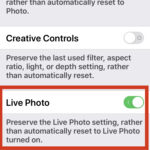
Most iPhone users know that you can enable or disable Live Photos directly from within the Camera app on iPhone every time you take a photo. But you also may notice that if you turn off Live Photos in the camera app by toggling the button, the next time you use the Camera app the … Read More
The Messages app on iPhone and iPad allows you to play games directly within the app itself, in addition to what you’d typically expect with sending and receiving regular text messages and iMessages. Does playing games like chess, checkers, cup pong, battleship, darts, mini-golf, amongst many others over iMessage sound fun to you? Then read … Read More
An easy way to make important notes stand out is to pin them to the top of the Notes app list. If you regularly use the Notes app to take down notes, make to-do lists, and store other valuable information, you may have trouble finding some important notes, and the pinned note feature offers a … Read More
Do you want to check how much free storage space you have on your Apple Watch? Perhaps, you want to transfer music and photos to your watch and you want to make sure you have enough space? Fortunately, you can see this info within a matter of seconds.
Want to declutter your Messages app on iPhone and iPad? One way to do that is to delete iMessages, either the entire conversations, or even a specific message. And let’s face it, most of us have sent a message or two that we regretted, or perhaps we don’t want to see reminders of any more. … Read More
Are you subscribed to multiple Apple services like iCloud, Apple Music, Apple TV+, Apple Arcade, and more? In that case, you’ll certainly want to check out the new Apple One subscription bundle, as it will likely save you some cash. Plus by rolling all of the Apple subscriptions into one, you may find it easier … Read More
Significant Locations is a feature that allows your iPhone or iPad to keep a record of all the locations you’ve frequently visited, and that the device considers to be significant – typically this is directly relational to the frequency of going to that destination. This information is then used to provide you tailored suggestions and … Read More
Did you know that apps running in the background on your Apple Watch can affect its performance and impact battery life? If you’re worried about this, you may want to disable background app refresh on your wearable.
Did you accidentally delete some of your photos or videos from your iPhone or iPad? As long as you use iCloud and the photos were deleted in the last 30 days, you can easily recover the deleted images on Apple’s iCloud website from any device that has a web browser.
When you think of the Apple Watch app launcher or Home screen, you think of the grid of icons that Apple shows in all of its promotional material. That’s become the way to use an Apple Watch. But for some users, it’s never been a great way to find apps. And even if you know where … Read More
Ever accidentally tapped on the screen of iPhone or iPad while watching Netflix and paused the show or skipped ahead or something else? If you use the Netflix app on your iPhone or iPad to binge-watch your favorite TV shows and movies, you might be excited to know about this interesting new feature that prevents … Read More
Rarely, you may need to put an iPhone SE into DFU mode as a troubleshooting method or recovery method. This shouldn’t be necessary with any regularity, but if you have some particular difficulties with the device where it appears completely unusable (bricked), or fails during the middle of a software update and the device is … Read More
Are you looking for an easier way to change the watch face on your Apple Watch? In that case, you may be interested in learning how you can change the Apple Watch face right from your iPhone within a matter of seconds.
For many users, the easiest and best way to sync your photos across multiple devices is undoubtedly using iCloud Photos on the Mac, but that requires a reliable high speed internet connection, and depending on the amount of photos you have, perhaps a lot of iCloud space too. Fortunately, another option exists, and you can … Read More