tricks

Search tricks

How to Completely Disable Spotlight

Mar 22, 2007 - 39 Comments

We’re big fans of Spotlight here at OS X Daily, but we realize it’s not everyones cup of tea. If you’re someone who dislikes Spotlight enough to want it disabled completely then this is the guide for you. What you’ll need is some basic knowledge of the command line and a command line text editor … Read More


Command Line Disk Usage Utilities: df and du

Mar 20, 2007 - 7 Comments

Getting disk usage information on a Mac is often gathered by selecting a file, directory, or hard drive and hitting Command-I for Get Info, then appears a nice GUI interface with extended information about the selected object including disk usage. Command-I isn’t the only way to get disk info however, with the command line there … Read More

Command-Click in Finder Window to Get Path & Navigate to Enclosing Folders

Mar 19, 2007 - 3 Comments
Finder icon on the Mac

Need to quickly see where you are in the Finder by showing the current windows path on a Mac? There are a few ways to do this in Mac OS X, for example you can use a defaults command to show the full path in Finder window title, and we’ll show you another couple of … Read More

Block Access to Websites on a Mac by Modifying /etc/hosts

Mar 19, 2007 - 72 Comments

We’ve received several questions asking how to block specific sites from being accessed directly on the Mac. The frustration seems to lie in how easy it is to circumvent the typical measures, such as setting Parental Controls and blocking sites in Safari, only to have them accessed in Camino or Firefox. Well, a quick and … Read More

Six Useful Spotlight Keystrokes for Mac OS X to Get You Started

Mar 15, 2007 - 3 Comments

You’ve probably noticed by now that we frequently rave about Spotlight, an invaluable tool and one of the greatest features of Mac OS X. Although it’s main intention is to be an instant search utility for documents, pictures, music, emails, whatever, it also works wonders as a super quick application launcher (often I will use … Read More

How to Completely Disable Dashboard in Mac OS X

Mar 14, 2007 - 19 Comments

Dashboard is the kind of thing you either love or hate, using the widgets constantly or not at all. How much use you get out of Dashboard will probably determine if you want the feature to stick around in Mac OS X or not. As regular readers may recall, we have discussed how unused Dashboard … Read More

How to Create a Screencast with a Mac – 5 Great Apps

Mar 14, 2007 - Leave a Comment
QuickTime

Have you ever watched an online video tutorial, or record a screencast of what you’re doing on your Mac screen? Ever wondered how to create one of these yourself? Of course getting the right software is part of the mix, but many users don’t even know where to begin. Fortunately, there are many options available … Read More

How to Get Image Thumbnail Icons in the Mac Finder

Mar 13, 2007 - 31 Comments
Image thumbnail previews in Mac OS X Finder

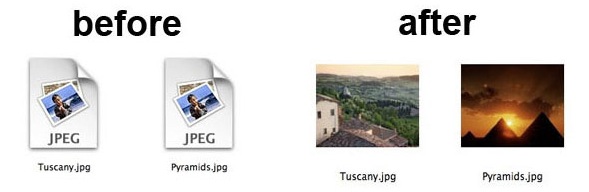
Ever wondered how you can get image thumbnails to show up in the Finder of the Mac? You’re not alone, and a good question from one of our readers came in on this very topic. A recent switcher to the Mac, Carol Kavanaugh writes: “I got a Mac a few months ago and love it … Read More

11 Startup Key Combinations for Intel Macs

Mar 6, 2007 - 19 Comments
Finder icon

This is a list of eleven startup key commands that every Intel Mac owner should make note of. From reseting your NVRAM, starting up in safe mode, booting your Mac from a CD or DVD, switching bootable volumes and drives on system start, to forcing media to eject from a superdrive, this list has you … Read More

pbcopy & pbpaste: Manipulating the Clipboard from the Command Line

Mar 5, 2007 - 10 Comments

Copy and Paste are absolute necessities for virtually all computer users, and if you find yourself working in the command line frequently, you’ll want to know how to manipulate the clipboard of Mac OS X directly from the terminal prompt. That’s what the Mac commands pbcopy and pbpaste are for, and as you may have … Read More

How to Quickly Make a Zip Archive from the OS X Finder

Mar 1, 2007 - 9 Comments

An incredibly useful feature that is built right into Mac OS X is the ability to create an archive instantly of anything, be it a single document, a folder, or multiple files. Creating archives is great for may reasons, they save space, and it’s a polite and easier way to send a group of files … Read More

How to Change from Bash to Tcsh Shell in OS X Terminal

Feb 27, 2007 - 10 Comments
Change Bash to TCSH or vice versa

Bash is the default shell in Mac OS X and has been since 10.3, it’s generally considered to be the de facto shell standard in the unix world. That said, there are some people who prefer to use the tcsh shell, or perhaps you just want to break away from the norm. Changing the default … Read More

5 Ways to Get Help in the Command Line of Mac OS X

Feb 24, 2007 - 3 Comments
Mac OS X Console Logs from Command Line

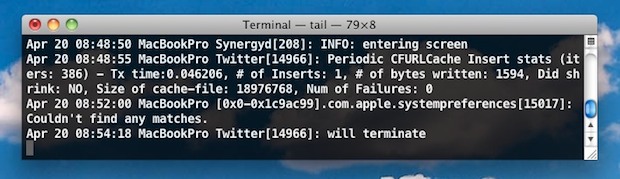
Whether you’re a unix novice or veteran to the terminal, if you’re using the command line you’ll often find yourself looking up exactly how to use a specific command for either its understanding the commands full functionality or just to discover the proper syntax. Many of us will just google a command if we can’t … Read More

How to Customize the Mac OS X Login Screen in Snow Leopard, Tiger, etc

Feb 22, 2007 - 91 Comments

After several hundred times of logging into your Mac you may be tired of looking at the same old login screen. Maybe you’d like to have a customized login screen for your school or employer’s workstations. Forget the $10 programs that automate the process, we’ll show you how to customize the login screen entirely on … Read More

Two Must Know Usability Tips for Mac Laptop Users

Feb 20, 2007 - 18 Comments
MacBook Air

If there are only two general usability tips that every Mac laptop owner must know about, these very well could be it. First, how to simulate a right click with your trackpad, and second, scrolling through documents much like is done with a scrollwheel. I have long assumed these were common knowledge, but I’ve heard … Read More

Five Fun Eye Candy Effects Built Into Mac OS X

Feb 20, 2007 - 12 Comments
JimmY Fallon

Apple spends a lot of time fine tuning our favorite products, resulting in stellar looking hardware and software, particularly visible in Mac OS X. It’s not hard to impress your friends and colleagues with the appearance, fluidity, and many great features we all enjoy. But if you’re in the mood to brag and be flashy, … Read More

Changing your Mac’s Computer Name

Feb 15, 2007 - 79 Comments
Change the computer name of a Mac

Want to change the name of your Mac computer? You can change the identified computer name of a Mac easily from the Mac OS system settings. This not only changes the Macs computer name, but it also changes what the name of the Mac is as identified by other users on a network, and by … Read More

Access a Geek GUI in Mac OS X Open & Save Dialog Boxes

Feb 14, 2007 - 9 Comments
Finder

Do you like geeking around with paths and jumping about the file system with the Go To trick in Mac OS X, but you come from a background in unix? You’re in luck, because OSXDaily reader Shane submitted this great tip relating to an alternate method of accessing Go To Folder in dialog windows you … Read More

Subscribe to OSXDaily

Subscribe to RSS Subscribe to Twitter Feed Follow on Facebook Subscribe to eMail Updates

Tips & Tricks

News

iPhone / iPad

Mac

Troubleshooting

Shop on Amazon to help support this site