
GLTerminal – Get Retro with Mac Terminal
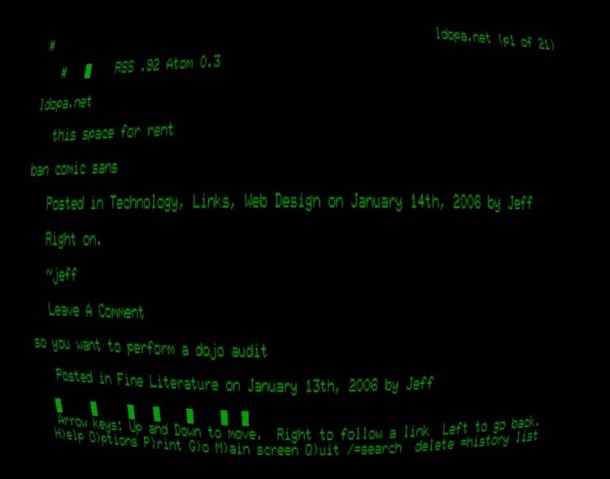
Remember the old days, where we’d all be peering at little 10″ fisheyed black screens with green or amber text? Well you can relive the computing 70’s and 80’s with this funky app that emulates the appearance of an old terminal. Complete with display curviture, shoddy colors, and even settings for simulated baudrate lag, you’ll be thinking it’s 1979 in no time. The GLTerminal program is not without error though, and getting it to run properly requires some minor digging around in the preferences.
To get this working, launch the GLTerminal application and go into the Preferences settings to make an adjustment, click the Renderer tab and switch from Default Renderer to Classic Terminal. Session >Preferences > Renderer
Now hit command-return and you should be in full screen retro terminal mode with all its glory.


Let us know if you get this working on a modern version of OS X, otherwise, terminal it is:







[…] Still craving the good old days of computing? Check out GLTerminal […]
yes waaaaayyyyyyy to much fun This is going to be such a time waster for me now. Please tell me it grows old after awhile so I can get work done…
I’m having way too much fun with this. It’s mildly sad that it reminds me of … my childhood!
In the world of UI Sleekness, those of us who only want to focus on the raw data, this is certainly enjoyable. I like it! :)