
7 Useful Dock Shortcuts & Key Commands for Mac
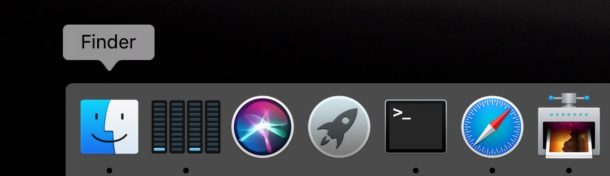
The Dock is a major part of most Mac OS users daily lives, used for everything from application launching, to storing of minimized windows and apps, where the Trash is located, and more.
But the Mac Dock has more tricks up its sleeve than what is readily visible, and with the help of key command modifiers, you can gain access to some very useful Dock tricks and shortcuts.
The list below of Dock shortcuts and key commands can help you to get the most out of the Mac Dock.
1: Hide the Currently Active App
Hold the Command key while clicking on another Dock icon.
This is similar to Command + H keyboard shortcut to hide the active app and its windows.
2: Hide All Other Apps Except the Currently Active App
Hold Command + Option keys while you click on a Dock icon.
This is similar to the Command Option H keystroke to hide all other apps/windows except the active Mac app.
3: Reveal a Dock Items Location in the Finder
Hold Command and click on the apps Dock icon to show the containing folder in the Finder (typically this is the /Applications folder).
4: Force Open a File in a Specific App
Hold Option + Command while dragging a file onto the the apps icon in the Dock.
This won’t always work, or it may mangle the file, but you can try it out. For example, you can force TextEdit to open a JPEG image, and no the picture will not load. This is best used for like kind documents, text files into a text editor, images into an image editor, etc.
5: Change ‘Quit’ to “Force Quit” in the Apps Dock Submenu
Hold the Option key while you right-click (or two finger click, or control click) on the apps Dock icon to change “Quit” to “Force Quit”.
This is one of a variety of different ways to force quit Mac apps.
6: Resize the Mac Dock While Snapping to Scaled Sizes
Hold the Option key while dragging the Dock separator / divider.
This basically makes the Dock resize while snapping based on scaling sizes of icons, offering a more pixel-perfect and precise Dock appearance (though most users likely won’t notice the difference). Try it out yourself, it’s subtle but some users appreciate this.
7: Move the Dock to Elsewhere on the Mac Screen
Hold the Shift key while clicking on the Dock separator / divider, then dragging to the Left, Right, or Bottom of the Mac screen.
You can also move the Dock position to elsewhere on the Mac screen through the Dock preference panel, or even through the command line, but it’s often most convenient to just drag the Dock around by the little separator.
–
navigating the Dock in Mac OS with keyboard shortcuts
Navigate the Dock in Mac OS X with These 8 Keyboard Shortcuts
If you want to see the above in an action / command table, here you go:
| Action Outcome | Key Commands |
| Hide all other apps except active | Command-Option click an App’s icon in Dock |
| Reveal a Dock item location in the Finder | Command click on the icon in the Dock |
| Move a Dock item out of the Dock | Drag the icon from the Dock and wait until the cursor says “Remove” |
| Force a file to open in a specific program | While dragging the file onto an apps icon in the Dock, hold Command-Option |
| Change Quit to Force Quit | Hold Option while in an apps Dock menu |
| Force the Dock to only resize to non-interpolated icon sizes | Hold Option while dragging Dock separator / divider |
| Move Dock to left, bottom, right side of screen | Hold Shift and drag Dock divider |






Does anyone know how I can bring back my dashboard & address book icon back into the dock on my desktop after I mistakenly hid or quit them..thanks for any help you can give me!!
Mike
Finally some life here at OSX Daily. I was starting to think that the blog had died out. That would have been unfortunate. Keep those apps and tip coming!
Cheerio.