
Easily Create Photo Mosaics with MozoDojo for Mac OS X
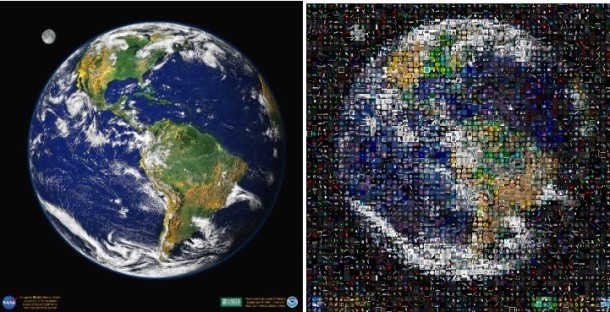
MozoDojo is a simple and fun Mac OS X app that creates those nice photo mosaics you see every now and again in advertising.
Using your iTunes library, iPhoto library, or even your Pictures folder, MozoDojo will render an attractive and accurate representation of the original file into a fancy and colorful mosaic made up of hundreds if not thousands of other images. You’re sure to have a load of fun with this great app. And best of all, it’s free for personal use.
The interface is simple enough, there’s not much guess work but plenty of options to customize the output and the final appearance of your mosaic. The larger your picture library, the better the results, however.
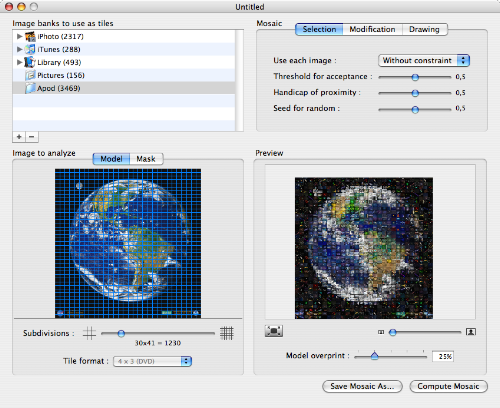
Want to try it out yourself? It’s fun, you should:
Or get a glimpse at some of the mosaics created with MozoDojo, found on Flickr from sannixtudio and agmyers. Better yet, make your own, and have fun!






I have photos from the hills of my family’s farm. I took the photos thinking in one day create a panorama photo with them.
Will MozoDojo allow me to do that?
With this mosaic developer can color tile be used instead of the photo tiles if not is there a mosaic developer that can utilize color tiles instead of the photos.
Is the link for MozoDojo no longer working? I keep getting a 404 error. Any help? Thanks!
it is cpu hungry wow! i think i’ll just make use of those empty cpu cycles at night, it’s either that or conway’s game of life!
As mentioned previously MacOSaiX does this as well. I like the ability to choose sources for pictures such as Google or Flikr. The only problem would be that it is kind of buggy because of the rewrite for Intel. The PPC version doesn’t work well on Intel. I tried MozoDojo and it seems very stable and optimized for Intel; it will definately get the job done if you have enough pictures in your library.
this is pretty neat, thanks for the find
MacOSaiX, has been doing this also, for awhile, would love to know which does the better job!
http://homepage.mac.com/knarf/MacOSaiX/Examples/