
How to: Connect to your Mac Remotely through VNC
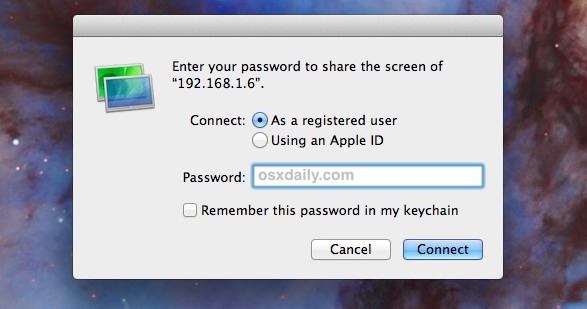
If you have a Mac with broadband, and you want to remotely administer your Mac or someone else’s, you should be using Apple’s Remote Desktop. Remote Desktop is basically just VNC with a fancier and more user friendly name, and it works great for its intended purpose.
Setting up a VNC server enables you to connect to your home or office Mac from any computer running a VNC client, meaning you can access and use your Mac desktop from Windows, Linux, or even another Mac. Likewise, you can connect to other peoples Macs too.
You can easily configure your own Mac for screen sharing, and connect to other Macs too.
You can also use the protocol for remotely administering and accessing a Mac from an iPhone or iPad while on the go. The following article should be useful to those curious how that works:
There are a lot of ways to start or connect to a VNC server and to use VNC on a Mac.
Perhaps the easiest way to connect to someone else’s Mac is done through the Messages app of Mac OS X. If you are interested in that, we have a nice post directing people on how to set this up.
While Mac OS includes it’s own built-in VNC app, you can also download a third party VNC client, such as Chicken of the VNC (free) or Real VNC. Check them out and see which works for you.
You can browse through additional VNC articles here if you want to see more interesting things you can do with the VNC protocol.






VNC is good for connecting remotely to MAC in addition to tools like logmein, R-HUB remote support servers, Teamviewer, GotomyPC etc.
First link in article is broken…. Not Found
The requested URL /2007/02/09/vnc-outside-your-network/ was not found on this server.
Additionally, a 404 Not Found error was encountered while trying to use an ErrorDocument to handle the request.
I think someone is controlling my mac by VNC acces… how con I track this or lock it….
In my network the mac’s connected vía airport can’t see other computers….
can anyone help?
You can always get a great VNC Client and Server at, http://www.redstonesoftware.com/Packages/Vine/Vine3.0.dmg
Free trials of the software are available as well, just email cyoung@redstonesoftware.com
do i need airbport basestation to set up my mac remotely??
[…] UPDATE: This post was recently featured on OSXDaily! […]
Thanks for posting my blog here! I got over a 100 hits from this! :D
TightVNC is harder to set up (is it still part of fink unstable?) but significantly faster, in my experience!