
Customize your Mac Desktop with GeekTool
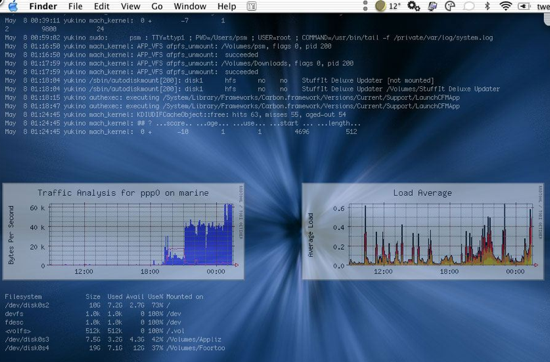
 GeekTool is a fun system preference utility for Mac that allows you to really customize your desktop. You can dump log files, system status messages, graphs, CPU usage, and all sorts of things right onto your desktop background. Basically if you can run it in the Terminal, you can have it appear on your desktop. Check out the screenshot below, and if you’re a customization geek absolutely download GeekTool yourself. Be sure to read the excellent walkthrough on MacLife linked below that shows how to setup GeekTool to really make your mac desktop customized too. If you want weather information displayed on your desktop, LifeHacker has you covered, so read on.
Download GeekTool
Developer home
Excellent GeekTool Walkthrough @ MacLife: Customize your desktop with GeekTool
LifeHacker: Put Weather Conditions on your Desktop Using GeekTool
MurphyMac: Get Google Calender on your Desktop using GeekTool






their interesting how u execute a jaws just click thingy lik ever before 10 a few moments