
Instantly Create an Alias of a File, Folder, or Application on Mac with Command-Option

Aliases are wildly useful on the Mac, offering quick access to anything in the file system.
Most Mac users make aliases through the File menu, but did you know there’s a fast trick for dragging and dropping to create an alias of anything?
Hold Command+Option, then drag and drop
You can quickly make an Alias anywhere by holding down the Command+Option keys as you drag any File, Folder, or Application to another location.
The original item will stay in place but an alias will be created in the location that you dropped the selection to, try it out yourself.
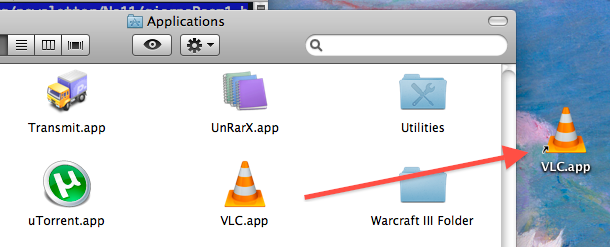
In this screenshot, I dragged VLC from the Applications folder to the desktop while holding Command+Option and created an Alias to VLC on my desktop (signified by the little arrow graphic in the corner of the icon itself).
You can create many aliases quickly this way, simply by using the drag and drop method.
Remember if you fail to hold the proper key down while dragging and dropping and you move the original file instead, you can hit Command Z to undo a file move in the Mac Finder.





