
Like GeekTool? You’ll love this collection of GeekTool scripts
If you’re a GeekTool user and you’re looking for a bunch of awesome GeekTool scripts, look no further. Geeklets is a site run by the UK based MacOSXTips, and it allows for users to submit their own GeekTool scripts and rate others. It’s newly launched so there’s a limited supply of scripts and vote data to work with, but this is definitely going to be a great repository for all us GeekTool fans. Each script listed includes a screenshot of it running on the Mac desktop within GeekTool, information on the script itself, and of course the ability to download the scripts. Definitely check this out!
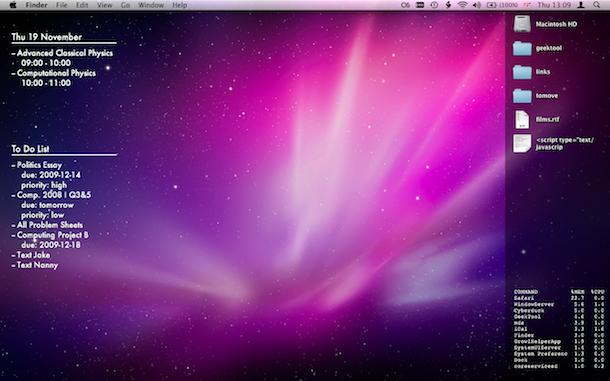
The above screenshot is pulled from the site showing a couple GeekTool scripts running, there’s a ton to choose from, so poke around and see what you find.






Can anyone tell me what the airport info script is?
Here are a few more unique scripts:
Binary Clock: http://blog.scottmcclung.com/2011/09/binary-clock-geeklet-for-geektool.html
Pie Chart Clock: http://blog.scottmcclung.com/2011/09/pie-chart-clock-geeklet-for-geektool.html
Super Fuzzy Clock: http://blog.scottmcclung.com/2011/09/super-fuzzy-clock-geeklet.html
PS. click my name to see the wallpaper ;-)
Here is my desktop, and some geektool stuff,
I made everything myself for geektool, because I like to play around with applescript and it’s not that hard to do the basics ;-)
Those grey snow-styles balloons are also dislayed using geektool.
Wallpaper is also mine ;-) with kind regards towards little-gamers for granting me the usage of their ninja’s. for more info about the geektool part, contact me, i’ll be glad to help.
geektool scripts that I made myself:
– itunes current track
– new mail message
– IP- number with location
– Airport status if connected then name of connected wireless network will be displayed
and an image that will indicate the signal strength
– weather script (just the conditions no images here)
– current track playing on the radio
– Battery percentage
– amount of data sent/received today (gigabytes)
– info about every current mounted volume on the system
– day, minutes, hours, weekday, year (those are easy to find in unix)
– todo’s
– trash size
– current network traffic (it works with some bugs)
These are the ones I’m using now or have been used.
Don’t like to much clutter on my desktop. clean and simple is my way =D
there are much cooler geek tool scripts elsewhere they need more submissions but signing up is a huge pain for me