
What is a .DS_Store file?
 I frequently get asked about the purpose of .DS_Store files by Mac users and Windows System Administrators who have a few Mac’s on their networks, where seeing the files turn up when hidden files are made visible.
Here is an explanation as to what a DS_Store document is in macOS and Mac OS X, what happens if you delete them, and how to disable their creation if you’d rather not have them around any longer on network environments.
What is a .DS_Store file on Mac? What does a DS_Store file do?
.DS_Store files are used by macOS/Mac OS X to store folder specific metadata information. They are created in every folder that Mac OS X Finder accesses, even network volumes and external devices. Folder level customizations are stored in the DS_Store file, things like custom icons, icon placement, icon size, window placement, list views, custom background pictures or colors, etc. DS_Store files are intended to be unobtrusive, which is why they have a . in front of their name, which indicates to UNIX file systems that the file is invisible.
Most Mac users will likely never see a DS_Store file at all, though if the user has chosen to show hidden files then they will become visible in nearly every directory in Mac OS X. Likewise, they will almost always show up with the -a flag attached to the ls command, which indicates to show invisible files that are preceded with a period.
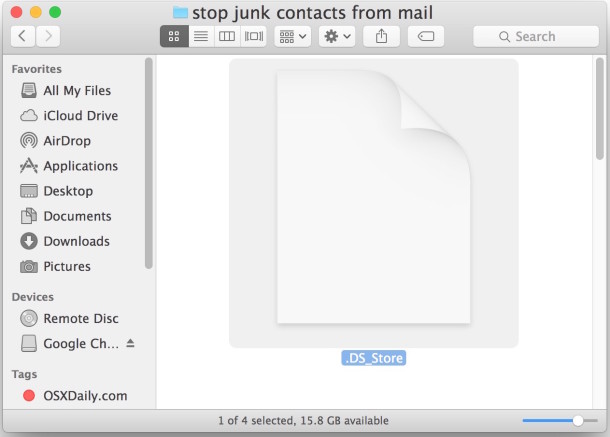
Here is what a DS_Store file looks like when hidden files are made visible in Mac OS X:
What happens if I delete the .DS_Store files?
If you delete .DS_Store files from the Mac folders, you will lose that directories folder specifics; things like icons, window placement, background pictures, etc, will be lost. While there is no significant harm (except losing the folder metadata) to deleting DS_Store files, unless you have a very specific reason to delete them, you should keep them in place since the Mac OS X Finder uses them. Deleting the files is really only necessary in some specific Windows+Mac shared networking environments, and otherwise they will wind up being regenerated by Mac OS X anyway.
Can I Stop the DS_Store Files?
Yes, by executing the following command in the Terminal you can prevent the creation of DS_Store files
defaults write com.apple.desktopservices DSDontWriteNetworkStores true
It is rather easy to stop .DS_Store file creation for network connected volumes, shares, and drives, but it is rarely necessary for most users situations.
These DS_Store files exist in all versions of OS X, from the oldest versions to the latest releases of Mac OS X, as they are a critical component of file system metadata storage and info.






[…] DS_Store files are hidden system files that reside within almost every folder of Mac OS X, they contain folder-specific information and settings, like what view to use, icon size, and other metadata pertaining to their directory. Though they’re invisible to the average user, if you’re sharing with a Windows PC or have hidden files shown in Finder you’ll see them in every folder, and if you’re trying to force a change like which view to use across all directories in Finder, you may discover the .DS_Store files are in the way. […]
[…] you find these settings to not be consistent across Finder windows, you must remove .DS_Store files from the inconsistent directories. Because the .DS_Store files are prepended with a period they are […]
What happens when multiple Mac’s are on the network share with the .DS_Store files? Does this file keep track of settings on a per machine basis?