
Accept File Extension Changes in Mac OS X with Command-U Keystroke

When you go to change the file extension in Mac OS X you will get a dialog box notifying you that by changing a file type it may open in another application. Chances are if you are changing the file extension deliberately, you did this intentionally and the warning is not necessary, but it’s shown just in case.
That’s ok though, because a keystroke expedites the process. You can quickly accept this file type extension change by using a simple keyboard shortcut that’s pretty easy to remember:
Just hitting Command+U when the dialogue box pops up instantly accepts the file extension change.
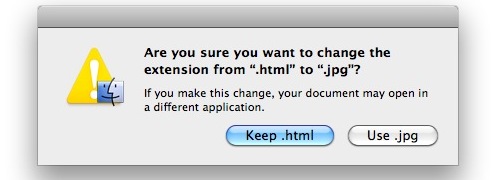
You can try this yourself, but you’ll need file extensions to be shown in the Mac Finder.
This appears to be a feature added to Mac OS X after Snow Leopard only, but I do not have access to an older Mac OS X to test. It does work in Mac OS X Yosemite and Mavericks, however, so the feature is likely to carry forward from future releases of Mac software. Let us know in the comments if you find this working for you in whatever system software version you’re using on the Mac.
Finally, it’s worth mentioning that if you really don’t like that dialog box, you can actually disable the extension change warning by using a defaults command string or system setting.
Another great trick is to enable the tab key dialog box selection option, which lets you tab between active elements on screen.






Thanks for the tip Sparky.
enable Full Keyboard Access for control of dialog widgets…
go to System Preferences [Keyboard] pane, [Keyboard Shortcuts] tab, and enable:
Full Keyboard Access…
(•) All controls
this enables the tab key to switch among dialog widgets and space bar to select highlighted widget.
In Leopard, what I used to achieve this was : press Tab and then Space.
Tab shifts the focus from the default selected button (the one which implies refusing change, in your example it would have been “Keep .html”) to the other button (in your example “Use .jpg”). And hitting Space is just like clicking on the selected button. (So, you would also have understood that hitting Space without hitting Tab before is like clicking on the default button, in your example : “Keep .html”)
So, right, Ctrl-U for SL only, and Tab and Space for Leopard.
Thanks for the tip anyway, I noticed Tab and Space don’t work anymore in SL and was searching for a workaround !