
Virtual Desktops in Mac OS X
 A colleague of mine is a recent Mac switcher and he was complaining to me that virtual desktops are not included in Mac OS X, the irony is that they are, they just have the name Spaces (coming from a heavy Linux background, I guess the naming convention just threw him off). Virtual Desktops are a very common and popular feature in most Unix GUI’s, but as Mac OS X has included virtual desktops within Mac OS X too.
Instead of being called “Virtual Desktops” though, Apple named them “Spaces”, but the concept is identical, multiple virtual workspaces on one machine. Spaces in Mac OS X lets you have up to 16 different workspaces to work within, you can even designate specific applications to run just within a particular space, which is very handy for creating a tidy work environment.
Spaces is Virtual Desktops in OS X
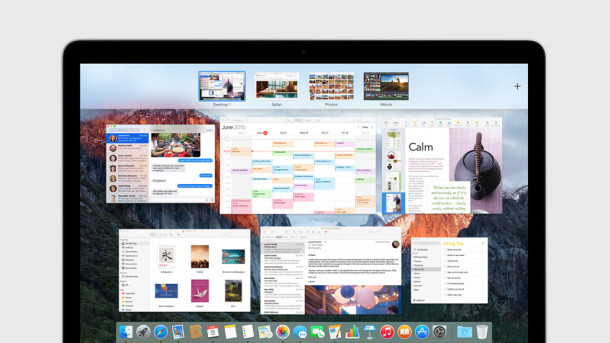
In modern versions of OS X, this feature is part of Mission Control, whereas in prior versions it’s part of Expose. Nonetheless, virtual desktops work in Mac OS X the same way.
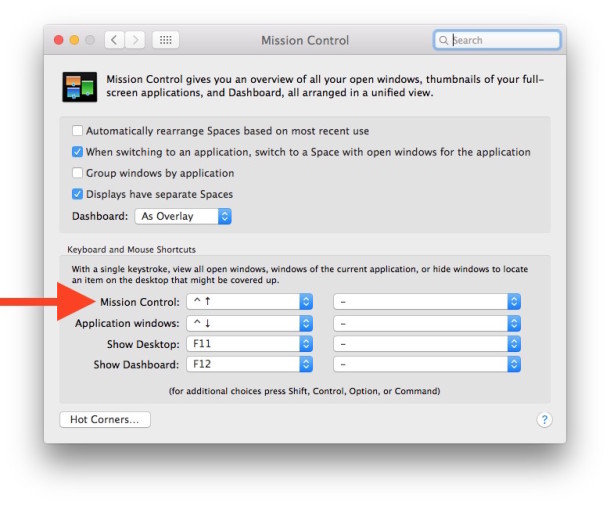
In OS X El Capitan, Yosemite, Mavericks, Mountain Lion, the feature is part of Mission Control, here’s how you can adjust the preferences for it:
- Open Apple menu and go to System Preferences, then go to “Mission Control”
- Set your Mission Control shortcut accordingly to your preferences to access the feature
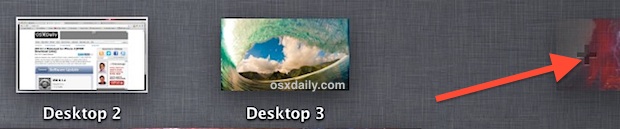
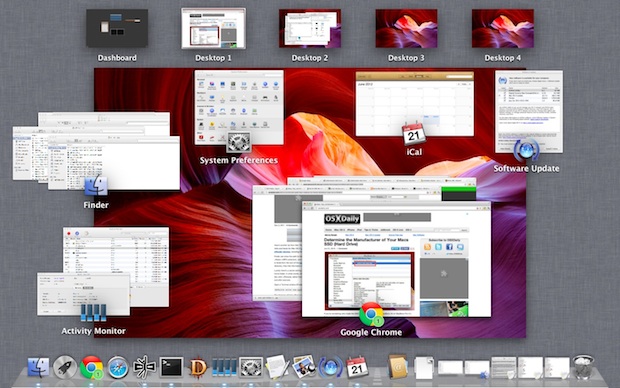
Once you have Spaces configured, you can access the feature through a keyboard shortcut, a gesture, or by sending apps into full screen mode. You can also move apps or windows into new spaces to create a new desktop quickly from Mission Control.
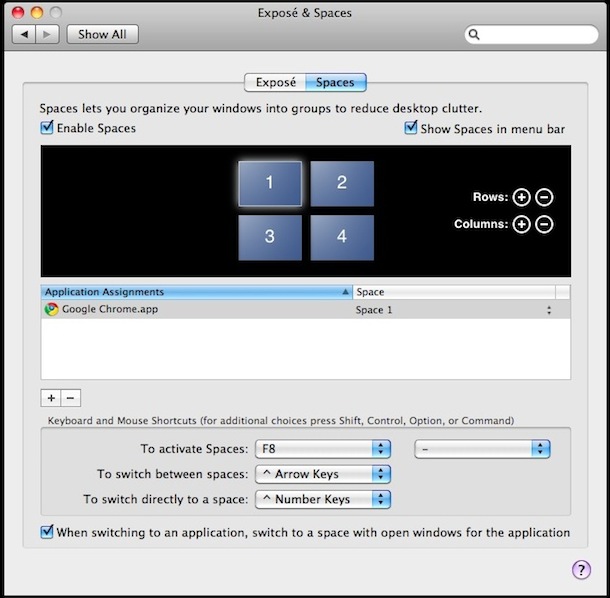
Configuring your virtual desktops in prior versions of Mac OS X is really easy too, including Snow Leopard and Leopard, just launch the System Preferences and click on the ‘Expose & Spaces’ icon, where you’ll see a screen with various options, including how many virtual workspaces you want to use, what applications are assigned to which spaces, and what keystrokes activate the Spaces virtual desktop switcher. (see screenshots)
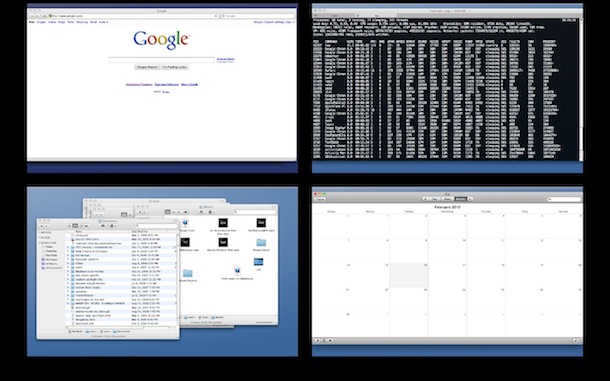
Spaces is definitely a largely underused feature of Mac OS X, but power users and those familiar with the virtual desktops of Linux workstations will be very happy to know they are included in Mac OS X. If you haven’t used them yet, give it a shot, you may be surprised how helpful you find virtual desktops, or Spaces, to be.
Remember, in new versions of OS X you access Spaces from Mission Control, and the different virtual desktops are laid across the top of the screen in succession. Full Screen Apps each get assigned their own virtual desktop space as well.






Hey this information is only like 4 versions of OS/X outdated lol.
This information about virtual desktops requires a vaguely new version of OS X to apply to you. OS X El Capitan is the most recent version of OS X, Yosemite is next, followed by Mavericks, Mountain Lion, Lion, Snow Leopard, and Leopard. Each of these versions includes virtual desktop support as part of Mission Control, the feature is called ‘Spaces’, and the feature is up to date in Mac OS X. If you’re using Tiger you won’t have the ability.
[…] Multiple desktops are a necessity when note-taking, at least for me they are. I was raised on Unix, so I suppose it might only be a personal thing. Mac OS and all the flavors of Unix can do it – Apple calls them spaces – but I’ve no idea if the current iteration of Windows is capable or not. I find that keeping EverNote maximized in one space and PowerPoint in the other works pretty well. I follow along in the notes and when I want to document something from the lecture, I can quickly switch to the other and do so without having to deal with minimizing or shuffling windows around. […]
Spaces simply doesn’t work with all applications and isn’t as configurable as traditional virtual desktop managers in *nix. It’s useless, because the first problem causes it to not work properly, and the second causes people who used virtual desktops before to not like spaces. A pity.
I’ve tried Spaces a few times, but don’t find it all that useful. IF I could have a fully new space (i.e. the desktop has its own folders, apps and icons) in each space I would us it.
Great, thanks for this. Having just started using a Mac as well as my Ubuntu machine, it’s good to know I can continue with multiple desktops.
Having come from years in a Windows environment ]]shudder[[ I found Spaces a little hard to get used to. But once I did I loved it. I don’t think I could live without it on my iMac now and certainly would sell a body part or two to keep it on my MacBook! I keep my browser on one desktop, mail on another, NetNewsWire (RSS Reader) on another and so on. It’s a breeze moving around with an active corner and not having to open, close and shove windows around is terrific. Long live Spaces!
Exactly, these are only 4 ‘spaces’ and not real virtual desktops. I want to have different documents on each desktop, different docks etc. Real virtual desktops. Was looking for special software, but there nothing to find for 10.6. For earlier versions there is…. but not 10.6. Bummer.
They be a lot more useful if out-of-the-box I could change the background and the dock on each space.
I’ve given Spaces a go two times now, first with my MBP then with a Mini that I’m using as a media server.
Both times I gave up on it within a week and went back to Expose, Tab/Shift, and LaunchBar scripts which for me, are easier to access without having to remember what is open and which Space it is in.