
Enable Single Application Mode in Mac OS X
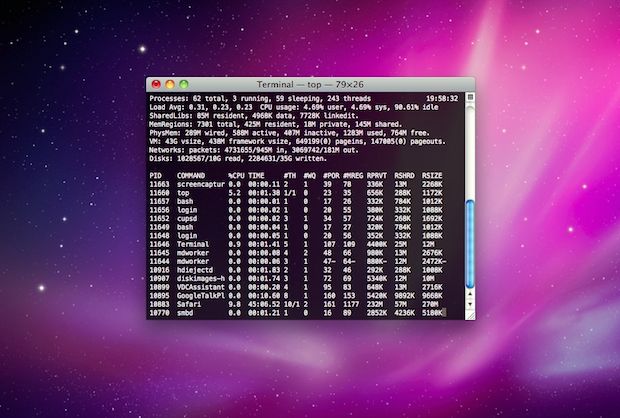
Single Application Mode is an interesting feature of MacOS and Mac OS X that is often misunderstood, we’ll discuss what the feature is, how it works, and how to enable it on your Mac running nearly any version of Mac OS still in use, whether that’s macOS 12, 11, 10.6, 10.7, 10.8, or newer.
What is Single Application Mode?
Single Application Mode is a way to force Mac OS to show only the application that is currently in use, all other open applications and windows will be hidden and minimized into the Dock.
Selecting another application from the Dock will then hide and minimize the current application, and the new selected app becomes the only thing shown on screen.
Rumor has it this feature was originally intended for presentation purposes when showing off Mac OS X, but it’s actually a handy way to avoid distractions and maximize screen space on smaller resolution displays, and it remains in the latest versions of macOS system software.
How to Enable Single Application Mode in Mac OS X
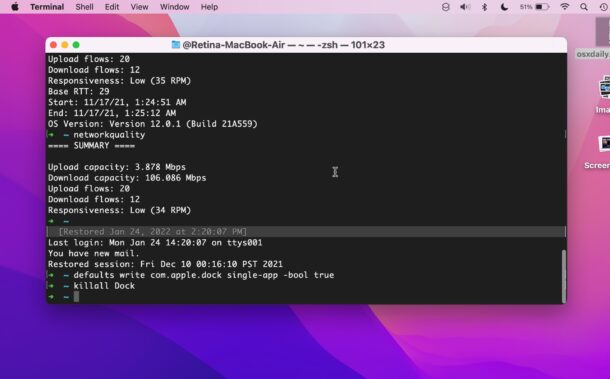
Enabling this feature is done through the command line, so launch the Terminal then enter the following commands exactly:
defaults write com.apple.dock single-app -bool true
For this to take effect, you now must kill the Dock:
killall Dock
Everything will refresh briefly.
Now just switch to another app to see how it works – inactive apps become hidden instantly, revealing only the currently active app in focus. As you switch around between apps, the other apps will automatically hide.
This is a nice feature for focusing on work, eliminating distractions, doing presentations, and some people just like it in general too.
Turn Off Single App Mode on Mac
Done with Single App Mode? You can turn it off again. Reverse single application mode and get back to multiple application mode easily by changing the original command as follows:
defaults write com.apple.dock single-app -bool false
and again, killing the Dock:
killall Dock
If you ask me, this feature is most useful for those with limited screen real estate or a single monitor, like a laptop or iMac, and it’s actually kind of obnoxious if you have dual displays on your Mac since you end up with wasted space.
Updated on 5/2/2013 to confirm Single Application Mode still works in OS X 10.7 Lion, and OS X 10.8 Mountain Lion.
Updated 1/24/2022 to confirm Single Application Mode works in macOS Monterey 12.1, Big Sur, Catalina






[…] you’d rather not download another app, another option would be to enable Single Application Mode in Mac OS X, which automatically hides any app other than the one currently in use. […]