
How to Change Notes Font on iPad and iPhone
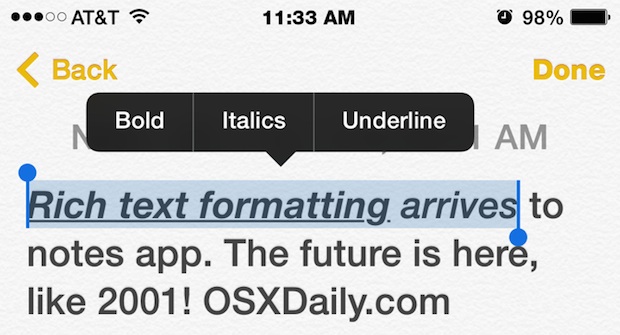
Are you tired of the scribbly marker looking font in the Notes app on the iPhone, iPad, or iPod touch? Want to have a different font in Notes app for iOS? No problem, you can select a variety of font options to be the default on the Notes app.
You can easily change the default font in the Notes app by adjusting the settings in iOS by taking the following simple steps:
- Tap on “Settings” app to launch it
- Locate and tap on “Notes”
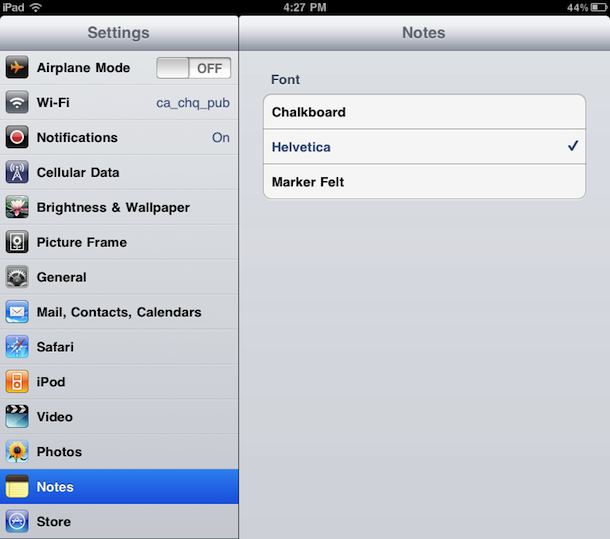
- Select the font you want to use by tapping on it. Chalkboard, Helvetica, and Market Felt are the options
- Exit out of Settings, relaunch Notes app to see the difference
Helvetica is by far the cleanest looking choice, and Marker Felt is the new default. Similar fonts can be changed in the Notes app in Mac OS X since it’s addition to modern releases of OS X too.
Switching these fonts has been possible since iOS 4.2, you can still make the change in iOS 8 of course. Here’s how the settings looked in the older versions of iOS on iPad:
Updating to modern versions of iOS is always a good idea for more features.
You can download iOS 4.2 beta now if you’re a developer, otherwise this functionality and much more with iOS 4.2 comes to the iPad, iPhone, and iPod touch in November.
Updated: 4/7/2015






I like the way you explain things!
[…] can change it in the iOS Notes app too. stLight.options({ publisher:'fe5e0a84-1fac-40de-8014-9f89fc1cbe6a' […]
There’s also the quirky way which works in precious versions of iOS.
Enable a Chinese Pinyin keyboard. In Notes (existing or a new one) switch to the Chinese keyboard, hit any key and the font changes to Helvetica (I guess). From there you can type any language.