
Stop Mac OS X from Shutting Down by Quickly Launching an App
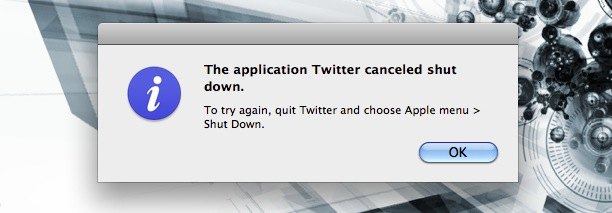
If you’ve ever accidentally shut down your Mac, you’re not alone. That dreaded feeling when everything starts closing when you didn’t mean to reboot, ahh! But don’t freak out, there’s an incredibly simple way to stop the shut down process in OS X!
All you need to do to stop a Mac shutdown is immediately launch an OS X app. You have to act quick because a reboot happens fast, so move fast and just pick any app in your Dock and launch away.
Once you launch a Mac app during the shutdown process, you’ll get an error message saying “The application ____ canceled shut down.” which completely halts the Mac OS X shutdown process. Exactly what we wanted to do.
Nice huh? Hats off to Lifehacker for the tip. Did you know about this? Is there another way to halt the shut down process in OS X? If so, do let us know in the comments, but quickly launching an app is pretty easy.






good tip, but chances are if you are shutting down you want to. this is not something i’ve accidentally done.