
Use iOS folders to have a minimalist and icon-free iPad homescreen
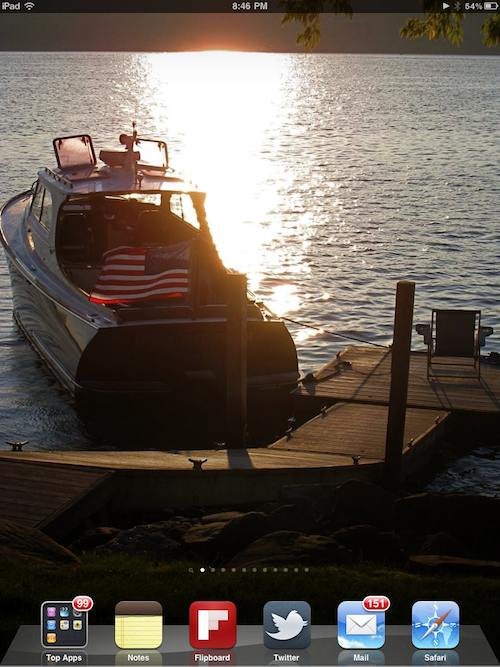
If you’re a fan of minimalist workstations and desktops and you have an iPad, you’ll like this trick.
You can use Folders to have a minimalist Homescreen on iPad, free of any icons at all.
This is accomplished easily:
Drag your favorite homescreen apps into a folder, rename it something useful, throw that folder into the iPad’s Dock, and enjoy your homescreen free of any icons.
Instead, all of your app icons will be in the Dock in a folder, but your Homescreen wallpaper be will big and beautiful, central to your device.
This tip would work the same on an iPhone or iPod touch too, since it’s all iOS.
And of course you can also do this on your Mac by hiding all desktop icons and then keeping an apps and ~/Desktop folder in your Dock.
Image is from Flipboard






99 app updates?!
No, you do this on a Mac by attaching a second monitor and dumping all the icons there. That way your main monitor stays pristine while you still have immediate access to that file marked “Urgent” that you saved to the desktop last month.
You just described my work desktop perfectly. Lots of “Urgent” month old files. Very urgent, indeed.
And 151unread messages????
Yeah, I thought it maxed out at 20 apps… But it never hurts to ask, Fred. :-)
You can have 99 apps in a folder?
nvm….not thinking straight…..obviously that’s 99 messages for one of the apps in the folder or something along those lines.
Right, I think the 99 just represents the combined notifications on some app(s) in that folder.