
How to Increase the Size of the Mac Cursor
 Increasing the size of the Mac mouse and trackpad pointer is an important ability for those with visual impairments, but it’s also a great way to make a Mac more friendly for newcomers to computers in general, like kids and grandparents.
This tutorial will detail how to increase the size of the cursor on a Mac. Adjusting the cursor size is slightly different in newer versions of MacOS compared to older versions of Mac OS X, and we will cover how to make those changes in both.
Increase the Size of Mac Cursor in MacOS Mojave, High Sierra, Sierra, El Capitan
For modern Mac OS releases, increasing cursor size is done as follows:
- From the Apple menu, open “System Preferences
- Choose “Accessibility” then go to “Display”
- Locate “Cursor Size” and adjust the slider next to it to make the cursor larger (or smaller)
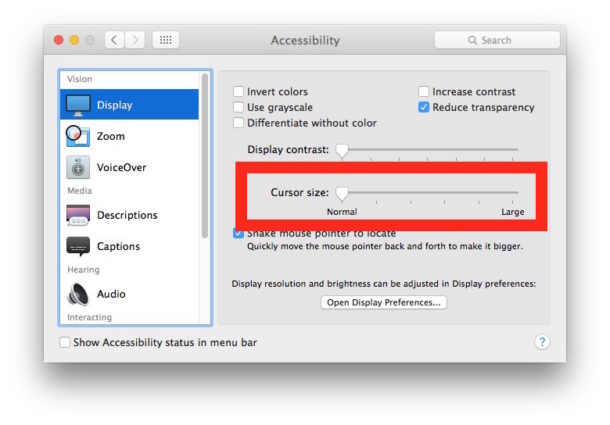
The size of the cursor changes will take effect immediately so you can visually see the difference as you adjust that cursor size slider.
Increasing the Cursor Size in Mac OS X Mavericks, Mountain Lion, and Newer
Ever since Mac OS X Mavericks and Mountain Lion, where and how you change the cursor size has moved. This isn’t bad news though, because the new cursor in the newest versions of Mac OS X is also significantly higher quality with a higher DPI version available that looks great even at the largest setting on a Retina display.
- Open the Apple menu and go to “System Preferences”, then go to “Accessibility”
- Choose “Display” then adjust the cursor size slider next to “Cursor Size”
Changes are immediately notice, and the largest setting is significantly bigger and more visible than the default setting.
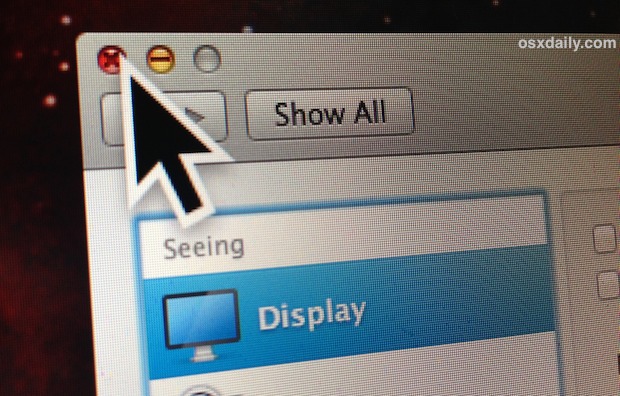
Note the cursor size adjustment tool has been shuffled around not only from the Mouse setting to Display setting, but the Universal Access panel is now called Accessibility. That is primarily how the latest versions of Mac OS X differ from prior versions of the Mac in regards to the pointer size.
Change the Cursor Size in Mac OS X 10.7 and Earlier
You can increase the size of the Mac OS X mouse and trackpad cursor by adjusting a setting in the Universal Access preference pane:
- From System Preferences, click on “Universal Access”
- Select the “Mouse & Trackpad” tab
- Near the bottom you’ll find “Cursor Size” with and adjustable slider, the screenshot demonstrates the cursor on it’s largest size
- Changes set and save automatically
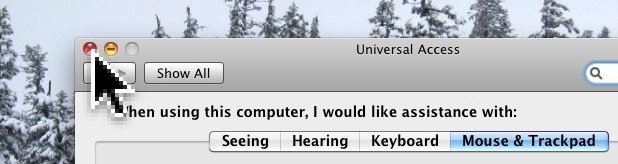
The slider causes immediate changes, allowing you to see live representations of what the new cursor size looks and behaves like.
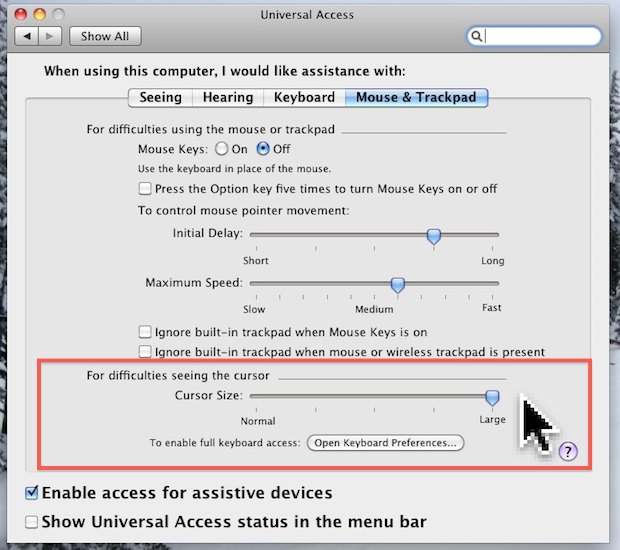
This setting is intended for use with those with difficulty seeing the cursor, but it’s also a great feature to enable for young kids. Combine this tip with increasing the desktop icon size or even making Mac OS X look like iOS to further simplify the user interface.
Updated 4/20/2019 to reflect differences in latest versions of MacOS and Mac OS X






Unfortunately, this solution doesn’t work for presenters. The large cursor is not shown when your mouse is over a PDF document or in an editable field.
THANKS!
[…] you’ve done this before with other versions of Mac OS, you’ll notice a few prominent changes from how OS X 10.8+ […]
In 10.8.2, cursor size can be adjusted under “display” menu in “accessibility” in system preferences.
No, it doesn’t.
This doesn’t work for OS 10.8.2…there isn’t any “UNIVERSAL ACCESS” icon anymore that contains a cursor size adjustment!
How do you resize the pointer if your using OSX 10.8.2?
Hey,
Isn’t there an app that decreases the size of the pointer ?
Als decrease the font in the menubar and everything like it’s running on a higher resolution ??