
Add a Message to the Login and Lock Screen in Mac OS X
OS X has a nice new feature to login and lock screens that allow you to display a message underneath the login panel. This is visible to everyone who can see the Mac screen, and it makes for a great place to put either a bit of generic personalization message, or better yet, a lost & found message with some contact and ownership details.
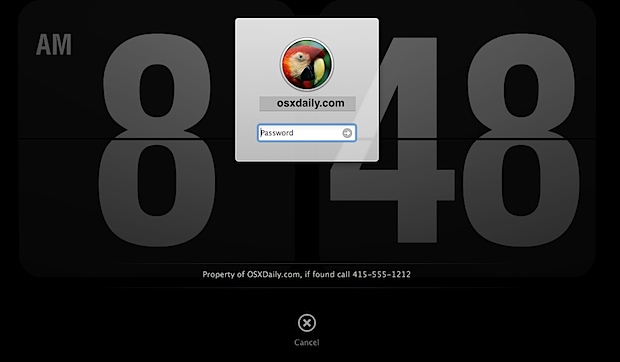
We’ll show you exactly how to set this up on any Mac, it only takes a minute:
How to Add a Login & Lock Screen Message to OS X
Note that for the lock screen message to be displayed you also must have the ‘Require password’ feature turned on in the Security panel, then:
- Open up System Preferences from the Apple menu and click on the “Security & Privacy” settings panel
- Select the “General” tab and then click the little lock icon in the lower left corner of the window, enter the admin password when asked
- Check the button next to “Show a message when the screen is locked” and type your login and lock screen message in the box below
- Click the lock icon again to set the changes and close out System Preferences
If you want to confirm the change, activate a screen saver with a sleep corner or lock down your Mac screen with a keystroke, just be sure that you require a password or you won’t see your message.
You can see what this looks like in the screenshot above and the closeup image below:
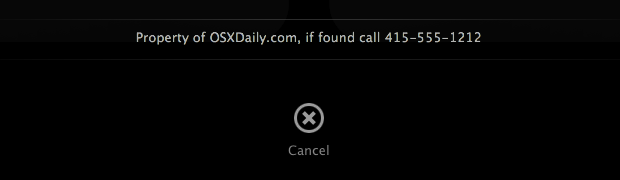
Having a message on your lock screen is a great loss prevention and general anti-theft measure, since anyone who gets the Mac into their hands later will see the message and if they have a conscience, will hopefully call the number you set on the screen. This could also help if you ever accidentally misplaced a Mac laptop, and is a great addition to setting an “If Found” message as the iPhone lock screen wallpaper which was suggested by Apple a few years ago.
This tip works universally on all new Macs with OS X 10.7 Lion, 10.8 Mountain Lion, and OS X Mavericks (10.9), and presumably all future versions of OS X as well. For those wondering, the screenshot background is actually the Fliqlo flip-clock screen saver, which will show itself behind the login and message that is placed.






[…] data on your machine that you want to keep from prying eyes. Another very worthwhile endeavor is to add a login message to OS X, this can include things like identifying information of the Mac, or better yet, ownership details […]
[…] an ownership name, email address, and phone number on the login screen and screen saver. It only takes a minute to configure login messages in OS X, and even less time to set messages as your screen saver. Do […]
[…] on the clock is somewhat unintuitive. Ideally, you could show this data in the same way you can add a message to the Lion login screen, but there are currently no known methods to do that unless you want to just manually add the […]
This feature’s also attainable on OS10.6 and lower – using CLi – (i.e in Terminal):-
sudo defaults write /Library/Preferences/com.apple.loginwindow LoginwindowText “Prop of OSXDaily.com, if found call 415-555-1212”
NB: CLi must all be on one line!
Just wondering how you changed your login window background, I know it’s fliqlo but does it update? Or is it just a static image?
It updates and runs like a normal screen saver, that’s actually the lock screen though and not the login window. But you raise a good question, so we will look into the ability to set a screen saver as the login window background, that would be a cool trick.
gr8 .. woooooooooooosh .. Ooo`WOoooooooop :]
How did you get the time in the back, thanks?
It’s from the flip clock screensaver Fliqlo
How did you get the Flip Clock?
I work for a school and I miss the ability to ask users to click on the login screen for there ip address. Is there a way to add this function back to the login screen?
“and if they have a conscious,”
If they have a conscious what? What is it and why does it need to be awake?
Well I guess consciousness is required to have a conscience, right? Thanks for pointing out the typo!
I like this one a lot. I learn something new every day here, thanks.