
Quickly Create a New Desktop for an App from Mission Control in Mac OS X
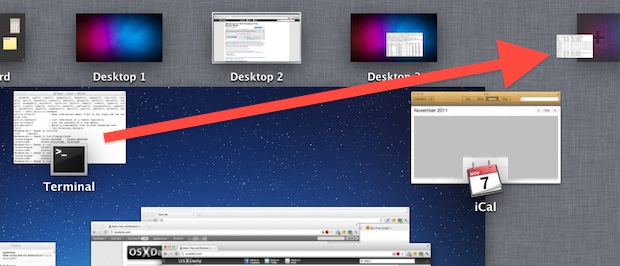
Using Mission Control on the Mac, you can quickly create a new Desktop Space just by grabbing an app from the Mission Control window, and then dragging the window into the corner, then letting it go on the “+” plus icon.
This will instantly generate a new desktop space, or a virtual desktop, with that app or window you dragged and dropped onto the plus icon.
After dragging windows around, you’ll continue to stay in Mission Control, which lets you quickly rearrange and organize your desktops
You can also grab apps and drag them into existing Desktops to move them around quickly.
If you’re still getting the swing of Mission Control, don’t miss our other tips on using the window and app manager new to modern versions of Mac OS X.
Spaces is a great feature, be sure to learn how to use it for greater productivity, particularly on smaller screen displays.






Received my iMac i7 yesterday, found this just before coming back to this blog. Redeems Apple totally for changing from Spaces for desktop management in my opinion. Love it!