
Access the Dictionary in iOS to Quickly Look Up Words
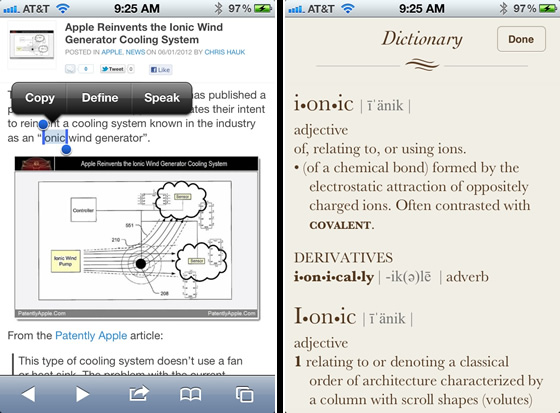
Ever since the 5th major release of iOS, an awesome built-in dictionary feature is easily accessible from Safari, iBooks, and most other apps that you’ll be using on an iPhone, iPad, or iPod touch. This means the next time that you (or someone else) see a word anywhere on an iPhone or iPad that you want to define, you don’t need to don’t bother downloading or launching a separate dictionary app. Because you can quickly access word definitions directly from iOS, and the definition will surface in a quick access panel that makes it easy to read the definition and then get quickly back to reading the original text.
Using this trick is incredibly simple and once you get the hang of it you’ll probably be bringing it up often as you read on your iPhone or iPad.
Get Instant Word Definitions in iOS
The “Define” function is accessible from almost anywhere in iOS, so long as the text is selectable it can typically be defined. This includes popular apps like Safari, Pocket, Notes, iBooks, and many, many more. Try it yourself with the following three step process:
- Tap and hold on the word to define
- Select “Define” to open that word in the dictionary
- Tap “Done” to exit the dictionary app
This feature works the same in the modern refined UX of newer iOS releases too, though it looks just slightly differently as you can see here from iOS 7 8:
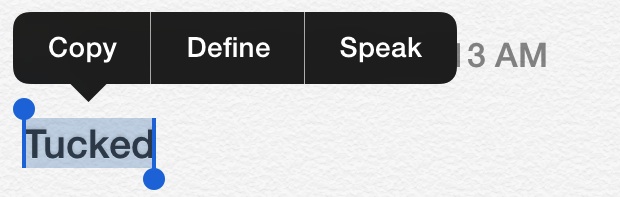
Now you’ll know the meaning of that word, and perhaps better understand why that word was chosen or used, leading to better reading comprehension and maybe even a broader vocabulary. This should be incredibly useful for everyone, whether just casual readers, learners, students, educators, or really just about anyone since let’s face it, there are some words we just don’t know, or at least don’t understand in the context of how a given word was used.
This quick dictionary trick will usually also provide derivatives of the given word, an example of the definition in use or how it would be used, and a thesaurus when applicable.
The instant dictionary concept should be familiar to Mac users, where a very similar feature is in OS X from Lion onward, which also summons a dictionary with a simple three-fingered word tap.
Users will find this handy little tip in all versions of iOS and OS X from here on out, even though the interface has changed slightly in the newest iOS versions, accessing remains the same.






?Is there a update for :
Dictionary Version: 2.3.0 (203.16.12)
for
macOS Mojave v: 10.14.3?
How to download this app
When you use Define on a word in the definition bubble at the lower left is “Manage”. Touch this to get a selection of Dictionaries to download.
I need to know how to add a dictionary to that list, so I can reference more dictionaries. Medical or linguistic definitions.
I do not seem to have this option. Is it because i have another language than english? (have tried both danish and english words, or maybe because it is a 3Gs?
You need iOS 5 or later to access the built-in Dictionary. That’s really the only requirement, it should work in other languages outside of English.
[…] and ran into a word you just don’t know the meaning of? It happens to all of us, but now that iOS has a built-in dictionary all you need to do is use it to quickly find out the definition and meaning. Do this by tapping and […]
There is a free app, Dictionary, that exposes a simple interface to search the built-in iOS 5 dictionary database. It’s a tiny app with a simple search interface. Easy to use for those cases where one does not have a word to double-tap. http://itunes.apple.com/us/app/dictionary/id473493861?mt=8
Brilliant tip!
But someone wants to keep Americans dumb or to make things difficult, “The item you’ve requested is not currently available in the U.S. store.”
Double Tap does not work for me in Safari. Tap-Hold 1sec-Release works for me instead.