
Preview & Watch Videos Directly in Spotlight for Mac
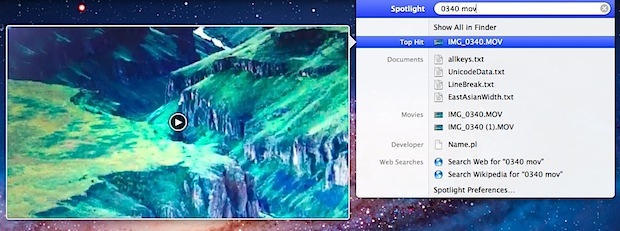
Modern versions of Mac OS X allow videos and movie files to be previewed and played directly in the Spotlight search results menu.
This works with any supported movie or video file type that can be played in QuickTime. To try this out for yourself:
- Hit Command+Space and search for a movie or video file
- Hover over the video search result until the thumbnail preview pops up to the left
- Hover over the thumbnail to find a “Play” button
This isn’t really a viable option to watch a long video, but it is extremely useful to quickly locate a specific video or a scene within some movie file without opening a ton of individual files into QuickTime Player.
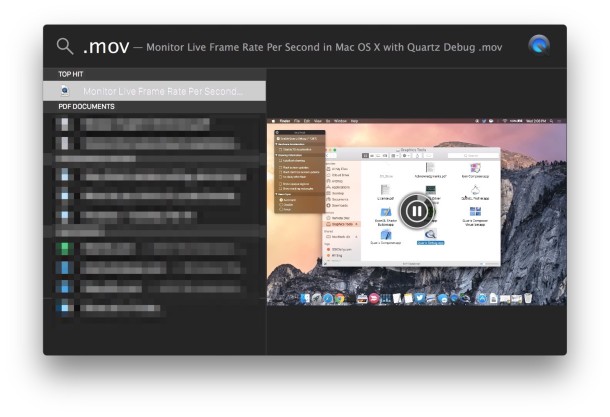
You’ll find it particularly useful if multiple videos have the same or similar looking thumbnails, since you can quickly find out which are unique with this. Feed the name into Spotlight and hover over the results

A similar feature lets you play videos directly in a Finder window, that feature works in modern versions of Mac OS X like Yosemite, but also as far back as Mac OS X 10.6 and earlier as well.





