
Empty Contents of Specified File Without Deleting via Command Line
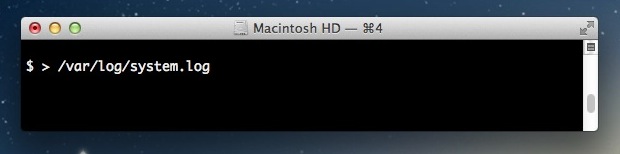
If you’re working at the command line and need to quickly empty the contents of a file, you can do so by throwing a greater than symbol and a space in front of the filename in question.
How to Clear Contents of File from Command Line
The trick to remove the contents of a file while preserving that file looks like the following:
> filename
That approach works in bash and many other shells, but you can also use a variation of echo if it’s not working in zsh or another shell. For zsh, use the following to clear the contents of a file from the command line using echo null and redirection:
echo -n > filename
All content within the target file will be immediately removed without warning, leaving it blank while retaining the files existence, filename, and permissions. This is often preferable and quicker than manually deleting and recreating a file.
A good practical example is for clearing out the contents of log files, for example:
> ~/Library/Logs/updates.log
Or achieving the same effect with echo redirection:
echo -n > ~/Library/Logs/updates.log
You can also use this command to create a new 0 byte file at the location, similar to using the touch command.

You’ll find this to be particularly helpful if you want to keep the permissions of a given file the same but wish to overwrite the contents, a common occurrence with log files and similar items.






Interestingly, I messed around with this a bit this morning and found that it was unable to delete .textClipping file content. I made a file in nano, and gave it the .textClipping extension and it did remove the contents of the file…
Strange…
this is a great idea if a file is being held open for writing, rather than stop the process and delete the file and restart the process.
Nice tip.