
Make Mac OS X Speak (or Sing) the Output of Any Command Line Task
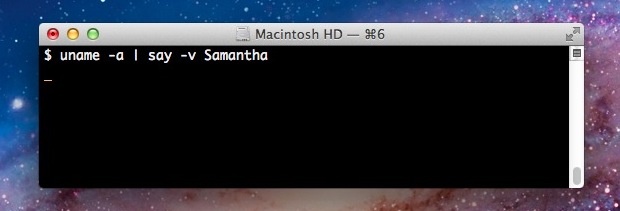
Along the lines of vocally announcing task completion within the command line, you can also have Mac OS X speak the output of any executed command.
This is really easy, to follow along open Terminal (found at /Applications/Utilities/Terminal) and then all you need to do enter just about any command and pipe the output of any such command directly to “say”, like so:
uptime | say
In that example, this will speak the output of uptime using the default OS X text-to-speech voice, though you can change the voice to anything else with the -v flag:
uname -a | say -V Samantha
Taking this a step further, it is possible to export the spoken command output to an audio file. Here’s a pointless example of saving the spoken output of the openssl manual page as an m4a file:
man openssl | say -v Samantha -o "talkopenssltome.m4a"
If you want to get ridiculous, you can use one of the singing voices to, well, sing the output of a command. And who doesn’t want an audio file of of the robotic Cellos voice or the awfully perky Good News singing the output of a manual page? Put it on your iPod for the drive home.
man openssl | say -v Cellos -o "serenadingmanpages.m4a"
If you don’t like the bundled voices you can always add new voices to OS X for free through Speech preference panel.
Get creative, because the ultimate utility of this is entirely up to you.
Thanks to Greg P for pointing this out in the comments






Yes. Sing it.
LOL I am going to dump these into my coworkers iTunes library. Good times.