
Manage iOS Devices & Provisioning from the Command Line with Cupertino
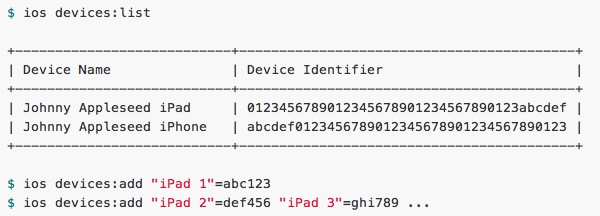
iOS Developers typically have to login to Apple’s Developer Center website to manage provisioning and devices. That’s not terribly inconvenient, but it certainly could be easier, and that’s where Cupertino comes in. Cupertino is a third party command line interface to the Apple Dev Center and iOS Provisioning Portal, letting you add and list devices, profiles, certificates, and app id’s, all from the terminal and without using a browser.
Cupertino is open source and a work in progress, and though not everything works quite yet, it looks promising. Future versions may even expand to support iTunes Connect and Mac Developer certificates as well.
If you’re an iOS app developer and like the command line, check it out.
Sure, most developers are probably better sticking with Xcode to handle this stuff, but it’s always nice to have options. It’s also worth remembering that the free iPhone Configuration Utility from Apple can handle profiles as well, and is a bit easier for large deployments.
Great find by @IconMaster on Twitter, don’t forget to follow @OSXDaily on Twitter too.





