Subscribe to OSXDaily

Subscribe to RSS Subscribe to Twitter Feed Follow on Facebook Subscribe to eMail Updates

Shared on Facebook

Shop at Amazon

Ad

OSXDaily on Facebook

Search Development

Make Easy Mac OS X Lion App Mockups with OS X Lion GUI Element PSD Kits

Aug 17, 2011 - 5 Comments

Mac OS X Lion UI Elements PSD

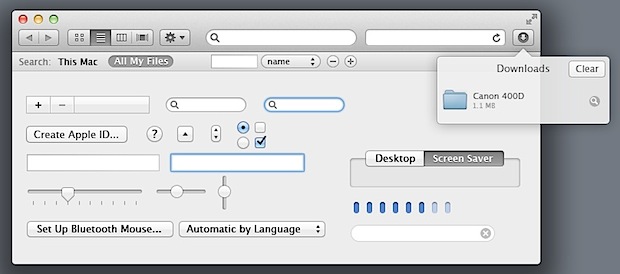
Whether you’re a UX or UI designer, app developer, or just want to create some mockups of Mac OS X Lion apps for fun, don’t miss these free OS X Lion UI Element kits from designers Jonatan Castro and Joshua Geiger. The GUI kits come as well labeled multi-layered PSD files that have all the main user interface elements from OS X Lion, ranging from sliders, dials, checkboxes, buttons, tabs, just about everything you can think of.

Download Lion UI Kit PSD file from Dribbble (shown above)

Download Lion UI Kit from SuiteTuts (shown below)

The two kits are slightly different and combine to be fairly complete, with the second kit focusing more on Desktop and Finder elements. The only thing I can find missing is the blue active button you see in things like Save dialogs, but chances are the PSD files will be updated to include that sometime in the near future, and regardless both are well worth the free download.

OS X Lion GUI Kit PSD for easy mockups

You can also download similar free GUI element PSD files for iPhone and iPad mockups too.

Learn Python for Free with an Online Guide and Mac OS X

Aug 14, 2011 - 13 Comments

Python 3

Want to learn a new programming language? Python is one of the hippest languages in use these days, but why pay for books and coursework when you can do this all on your own, for free, on your Mac? You can do exactly that with Dive Into Python 3, which has been made available as a free download online or as a PDF.

A couple notes, the book is for Python 3, but Mac OS X Lion bundles Python 2.7, so you’ll want to download the latest version. Here’s all you’ll need to get started:

Thanks to Mike for the link to HackerNews, where the discussion thread also include recommendations for the official tutorial on Python.org and the accompanying reference guide as two additional great resources for learning.

Update: Another good Python book that is available for free online viewing is Learn Python the Hard Way, thanks to those who recommended this one.

Simulate Internet Connection & Bandwidth Speeds with Network Link Conditioner

Aug 10, 2011 - 8 Comments

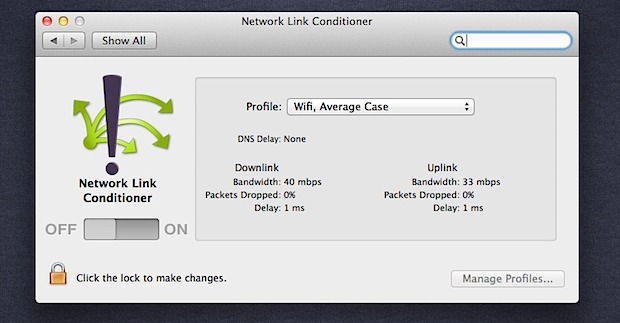
Network Link Conditioner

A new addition to Mac OS X Lion and Xcode 4.1 is a utility called Network Link Conditioner, a highly customizable tool that lets you simulate a variety of common internet connectivity speeds. The utility is aimed at Mac and iOS developers so they can test their apps response times on a variety of network conditions, but it’s also extremely useful for IT admins, network administrators, and web developers.

  • Download and install Xcode 4.1 (App Store link) – free download for OS X 10.7 users
  • After Xcode is installed, head on over to:
  • /Applications/Utilities/Network Link Conditioner/

  • Double-click on “Network Link Conditioner.prefPane” to load the utility into System Preferences

You can start using the bandwidth simulator right away. Network Link Conditioner is fairly self explanatory, just select a bandwidth profile that you want to simulate and click the “ON” button to activate it immediately. The default choices are:
Read more »

Access iCloud.com Beta Springboard without an Account via Web Browser

Aug 2, 2011 - 13 Comments

iCloud beta apps

iCloud Beta is now live for developers to access, and we know what the pricing plans look like, but average users are left just looking at screenshots for now. Just kidding! If you want to check out iCloud’s very iOS-like Springboard and web apps, and you don’t have a developer account, you can use this cool little trick from @devongovett on Twitter:

Access iCloud Springboard without an Account Using Safari or Google Chrome

  • Go to iCloud.com and ignore the login credential screen
  • Right-click anywhere on the iCloud.com page and select “Inspect Element”
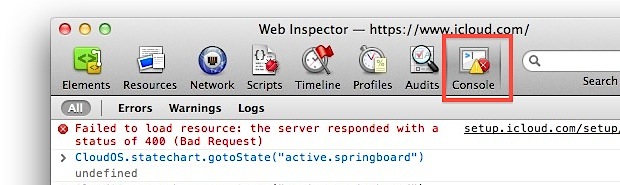
  • Click on the ‘Console’ button on the far right of the element inspector
  • Paste the following into the Javascript console:
  • CloudOS.statechart.gotoState("active.springboard")

  • Hit the Return key and skirt right past the login screen and into the iCloud springboard

Enter iCloud springboard with javascript

I have confirmed this works in Safari and Chrome and presumably it works the same in Firefox, just paste that code into their appropriate javascript console.

You’ll notice the iCloud interface is very iOS-like and all the animations and buttons feel like iOS, pretty impressive for the web wouldn’t you say?

This little tip comes from @devongovett via @viticci on Twitter, you can follow us there too.

Update: To clarify, most things don’t work without a beta login, and each time you click on something you will get an error message like the one below that requires you to reload the springboard again.
Read more »

Xcode 4.1 for OS X Lion Released as Free Download on Mac App Store

Jul 20, 2011 - 7 Comments

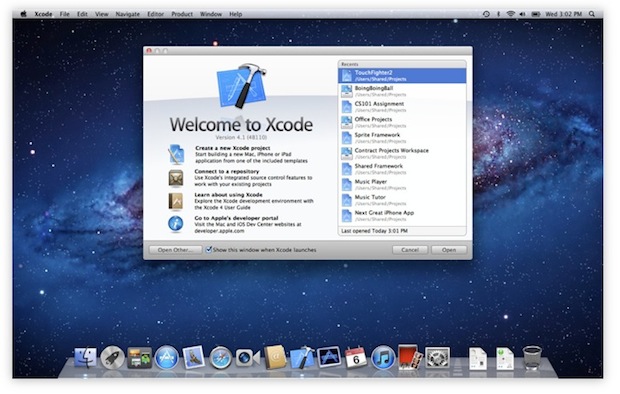
XCode 4.1 is a free download on the Mac App Store

The final version of Xcode 4.1 has been released as a free download to everyone via the Mac App Store. Mostly for developers, Xcode is the Mac OS X-only development environment for creating OS X and iOS apps, but the package also includes various useful command line tools, and even an iOS hardware simulator, making it a worthwhile download for power users as well as developers.

Before you get the latest version of Xcode though, you will need to download Mac OS X Lion and complete that installation.

Get XCode 4.1 free from the Mac App Store

Here are the key changes for XCode 4.1 with Lion support, via the App Store page:

What’s new in Xcode 4.1 for OS X Lion
- Includes SDKs for OS X Lion and iOS 4.3
- Interface Builder support for Auto Layout and new Aqua controls such as NSPopover
- Full screen support in workspace, project, and organizer windows
- Project modernization to identify and resolve out of date build settings
- Behaviors can be customized and assigned to unique key bindings
- Source control enhancements to pushing, pulling, and management of remote servers
- Assistant editor support for display of generated assembly and preprocessed output
- Additional bug fixes and stability improvements

Prior to this release, Xcode cost $4.99 to download.

WWDC 2011 Session Videos Now Online

Jun 25, 2011 - 2 Comments

WWDC 2011 session videos

For those of us who didn’t make it to WWDC 2011, Apple has released full videos of all the WWDC sessions. There’s a lot to learn here, with over 100 sessions covering both Mac OS X and iOS, and each is presented by Apple engineers.

Head over to the Dev Center to get the videos on iTunes.

The videos are available in both HD and SD formats, and they are accessible to anyone with an Apple developer account – not just the paid $99 iOS and Mac dev accounts – so if you want to watch them all it takes is a brief free registration to get access.

GitHub for Mac OS X Makes Sharing and Managing Code Easy

Jun 22, 2011 - 4 Comments

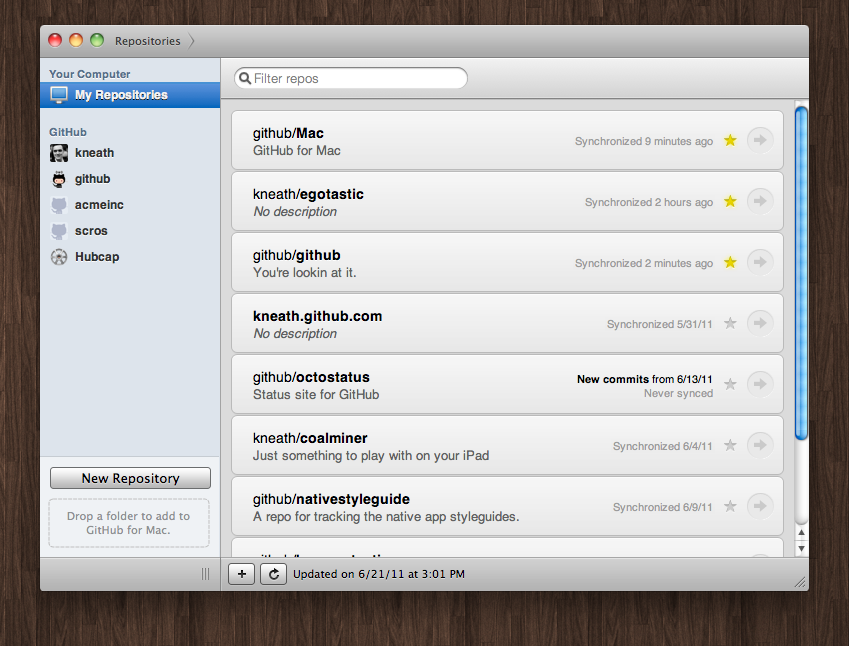
Github for Mac

If you use GitHub for version control or just to share and manage code, you ought to grab the brand new GitHub client for Mac OS X. It’s a great looking app that lets you find and manage repositories, check commit history and changes, sync and view branches, create and merge branches, compare and rollback commits, and everything else you’d expect from a version control client and the social code sharing site.

You can download GitHub for free or read more about it on the github blog.

Create Working Prototypes of iPhone & iOS Apps Easily

May 26, 2011 - 5 Comments

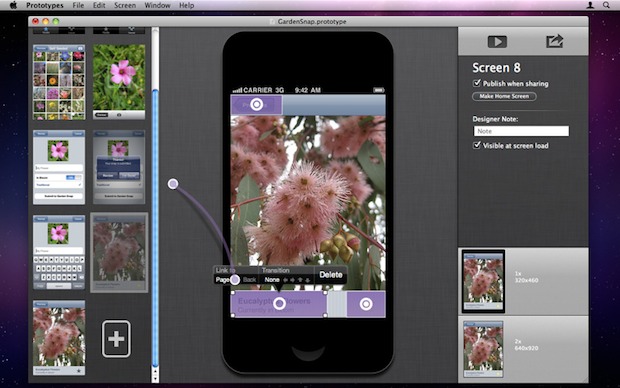
Prototype iPhone and iOS apps from a Mac app

Prototypes is a new Mac app that lets anyone quickly create functional iOS application prototypes and share them with other people, no coding is required.

The prototypes can be created from any Photoshop, Illustrator, Fireworks, PSD, JPG, or any image file at all, just drag a few images into the app, define hotspots (touch locations), setup some transitions, and quickly preview or publish a prototype. These touch-responsive prototypes will run directly from Safari on an iPhone, iPod touch, or iPad, making it very easy to test a functional iOS interface.

You can buy Prototypes from the Mac App Store for $39.99 (App Store link)

How well do these published prototypes function? The developers provide a sample working prototype that has been exported from the app, here is how you can try it out yourself:
Read more »

Twitter 2.1 for Mac OS X Includes a Developer Console

May 12, 2011 - 3 Comments

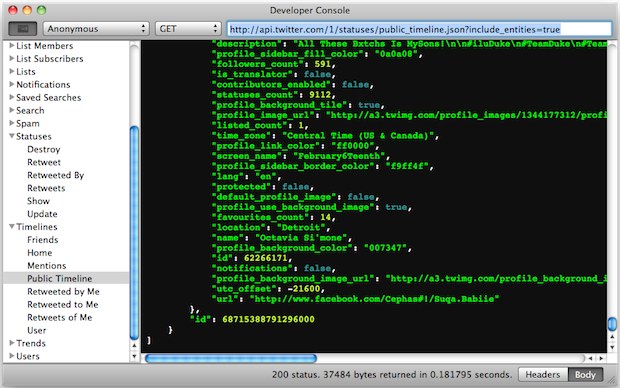
Twitter 2.1 for Mac developer console

Twitter developers have a compelling new reason to update to Twitter 2.1 for Mac: the developer console!

You can enable the developer features through Preferences > Developer tab > “Show Developer Menu”. Unfortunately for tinkerers and those just looking to casually poke around, you’ll need Twitter apps API keys to actually use and access the dev console.

Other notable changes in Twitter 2.1 are some significant UI tweaks, font size adjusting, AppleScript support, the ability to spin tweets off into new windows, and of course various bug fixes. It’s a worthwhile upgrade, even if you aren’t a developer. You can download Twitter for Mac directly from the Mac App Store, it’s free.

Screenshot and tip via Twitter @rsms

Google Chrome Canary for Mac OS X is Available for the Brave

May 3, 2011 - 2 Comments

Google Chrome Canary for Mac

Want to help test Chrome development releases and be on the absolute cutting edge of web browser development? Try out the newly released Google Chrome Canary for Mac OS X, which Google says is aimed at the “bravest” of Chrome users.

Chrome Canary installs as a separate app to the stable Chrome builds, so you don’t need to worry about overwriting your existing app or Chrome resources. Canary is then automatically updated to the latest build and offers no testing before each release, meaning you’ll have lots of interesting features and improvements alongside a slew of bugs and crashes, Google even says “we expect it to be unstable and, at times, unusable…” so be prepared to fill out crash reports.

If this sounds like fun to you, you can download Chrome Canary from Google.com and help out.

I like Chrome a lot but I’m partial to stable browser releases, nonetheless Canary is fun to play around with to see what’s cooking over at Google. Heads up to MacGasm for the tip.