Sync your Mac Address Book with Google Contacts
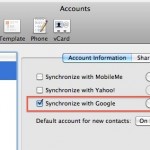
You can easily sync your Mac Contact list or Address Book contacts with your Google Contacts. This is quite easy to set up, we’ll show you how to do so in all versions of OS X.

Mac OS, Mac OS X, or macOS, is the operating system that resides on Apple’s desktop and portable computer lineup. Built upon a Unix core, it is easy to use yet highly advanced, extremely stable, and an excellent OS for productivity and creation. Browse through our articles or use the search feature to look for something specific that is pertinent to the Mac operating system.
You can easily sync your Mac Contact list or Address Book contacts with your Google Contacts. This is quite easy to set up, we’ll show you how to do so in all versions of OS X.
So, you want to connect to your Mac remotely from your iPhone? It’s possible, and it’s easier than you might think. and though you may have heard of people controlling their Mac’s via their iPhone but assumed it was something just for the jailbreak crowd, well that’s assumed wrong, because it turns out that iOS … Read More
Need to quickly boot from Mac OS X to Windows? Don’t want to fiddle around in System Preferences or hold down the Option key during the Mac restart to access the Boot Loader? QuickBoot to the rescue! QuickBoot is a great little tool that sits in your menubar and lets you easily select boot volumes … Read More
Mac’s are amazingly reliable and have few problems, but it’s not incredibly unusual to run into problems connecting to a wireless network. If you’re having problems connecting your Mac wirelessly to an Airport or other WiFi router, check out this guide and try out these troubleshooting tips to fix your wireless internet connection. Mac Wireless … Read More
“You are opening the application ScreenSaverEngine.app for the first time. Are you sure you want to open this application?” My Mac’s screensaver was officially not working. That’s the odd message I got out of the blue today, which is rather peculiar since ScreenSaverEngine.app has been activated many times considering it is what drives the screensaver … Read More
Have you ever noticed the Bluetooth menu bar icon on a Mac start flashing or blinking? The blinking Bluetooth icon on the Mac means one thing; the connected Bluetooth device has a low battery.
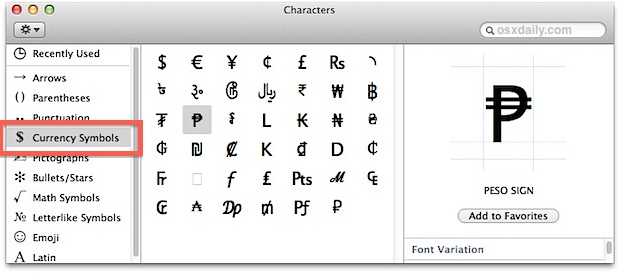
You can access and type foreign currency symbols in Mac OS X in much the same way that other special characters are typed out. That means you’ll use a keystroke combined with the “Option” key to type the respective character. A few common currency symbols are available on default keyboard layouts, including the $ dollar, … Read More
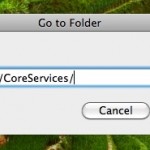
If you want to change the wallpaper that sits in the background of your Mac’s login screen in OS X Leopard and Snow Leopard, from the Finder hit Command+Shift+G to open the ‘Go to Folder’ screen. Type /System/Library/CoreServices/ and click ‘Go’:
Like many of us, I’m often busy and out of the home, leaving my Mac on a desk. I regularly use my home machine as a local fileserver though and other people in the household are dependent on it being up and running. Now here’s the situation I’m presented with: I leave town earlier than … Read More
You can easily batch resize groups of images within Mac OS X by using the included Preview app, that is, taking a group of pictures set at one or various resolutions, and collectively resize them all together in a group to a new resolution, outputting either as the same file or as a new file … Read More
Finder, the Mac OS X file system browser, is ultimately just a nice looking GUI application, and it can be interacted with fluidly from the command line. This means you can jump to directories and open literally any Mac Finder window directly from the terminal by using a simple command string based upon the ‘open’ … Read More
You can reset a lost Administrator (the original account you created) password in Mac OS X by utilizing a Mac OS X installation DVD, here’s how:
Ever wondered how to type the temperature / degree symbol in Mac OS? Typing the degrees symbol on a Mac, or any computer, may seem like a giant mystery since it’s not immediately visible on any keyboard, but it’s really quite easy if you know the proper keyboard shortcut. There are actually two keyboard shortcuts … Read More
Secrets is a pretty nifty system preference panel add-on that lets you access all sorts of hidden ‘secret’ preference options. Instead of typing a bunch of default write commands you can basically just click checkboxes or change dropdown options to easily enable some pretty cool stuff. It’s pretty comprehensive, with a bunch of options for … Read More
Knowing how to clear cookies is pretty important for any number of reasons, be it for personal preference or troubleshooting issues with websites. You may be wondering how to remove cookies on a Mac running the Safari web browser, and that is exactly what we’ll show how to do. There are actually a few ways … Read More
One of the quickest ways to get your external IP address in Mac OS X or unix is by launching the Terminal and typing one of the following commands with curl. To be perfectly clear here, we’re looking for the external public IP address of the hardware in use, this is what broadcasts to the … Read More
With a little bit of hacking and modification, you can add up to 24 additional visual effects to iChat video conferencing and Photo Booth! A reader pointed out this very cool Mac OS X mod and if you like to play around with Photo Booth or iChat effects it’s worth the effort, since it gives … Read More
You can quickly clear all of the text from the Spotlight menu without closing the window by hitting Command-Delete, I discovered the use in this after my cat walked across my keyboard entering in a lengthy mishmash string of characters. Try it out!