See the 6 Day Weather Forecast Quickly on iPhone from Notification Center
Jul 31, 2012 - 4 Comments

Want to see what the weather is going to be like for the next 6 days?

Tips and tricks for all things Apple! Whether you want to learn tips for a Mac, iPhone, iPad, Apple Watch, or much more, you will find many tricks, tips, tutorials, and excellent walkthroughs for Apple devices and software here.
Want to see what the weather is going to be like for the next 6 days?
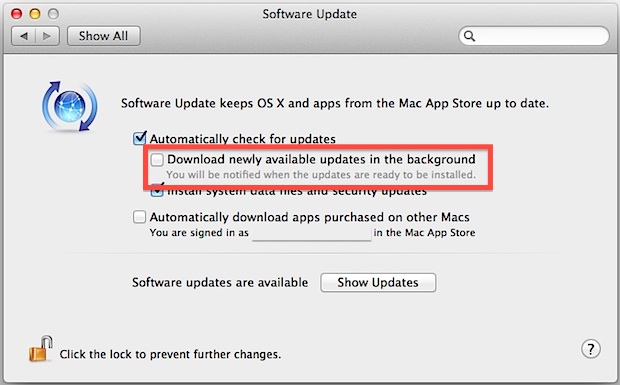
Mac OS X has a handful of features that are dependent on a constant internet connection, and one of those is the new automatic update feature. Undeniably convenient, Mac OS X and all apps installed from the Mac App Store will automatically download and update themselves, but if you have metered internet or are using … Read More

Autocorrect in iOS is pretty smart and usually gets things right, it also learns your habits and frequently typed words and will start autocorrecting what you type to the words you have used in the past. This can be a blessing and a curse, because if you accidentally corrected a word to a wrong one … Read More
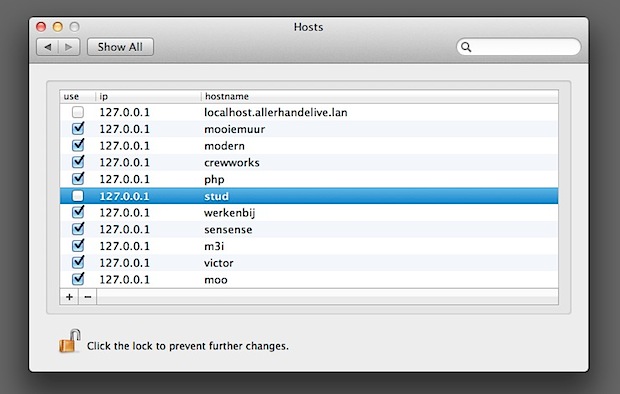
The hosts file maps hostnames to IP addresses, it’s present in virtually every OS in some form or another and in Mac OS X it’s stored at /etc/hosts, which requires administrative privileges to modify and generally a jump to the command line. Editing the hosts file allows you to do a variety of things like … Read More
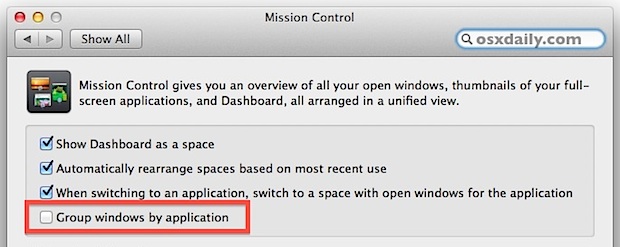
With OS X Lion, Exposé merged with Spaces and became Mission Control, as a result the behavior of one of many peoples favorite window management features changed; you could no longer see all windows from all apps in a single screen. Instead, app windows were grouped by application and stacked atop one another. That incredibly … Read More
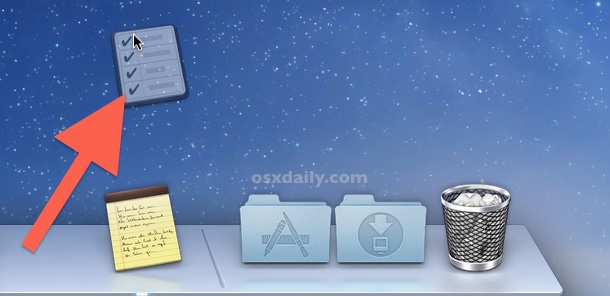
Removing app icons from the Dock has been the same since the very beginning of Mac OS X: grab an icon and drag it off the Dock into a poof of dust, whereby the icon is no longer displayed in the Dock. That behavior has changed slightly with OS X Mountain Lion and carried through … Read More
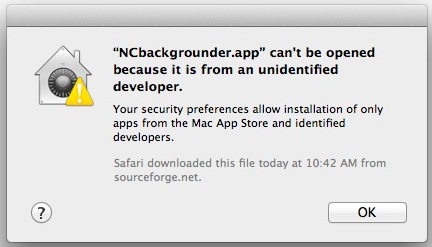
Mac OS X defaults to preventing applications from unidentified developers or sources from being launched. You’ll discover the message in Mac OS when you try to launch a Mac app that didn’t come from a verified source or from the Mac App Store, and you’ll get an alert dialog that says “[App name] can’t be … Read More
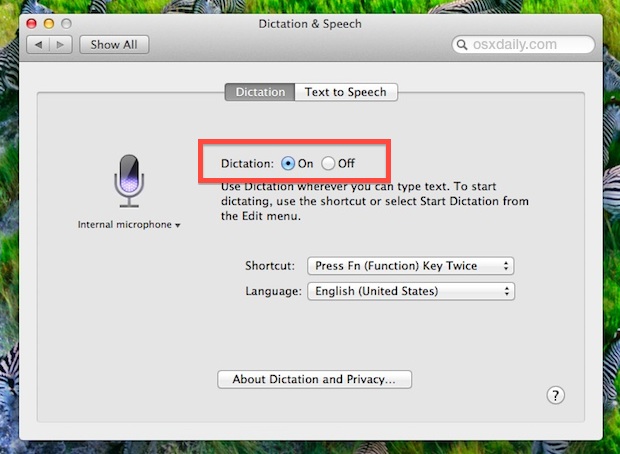
Dictation is available to the Mac with newer versions of system software, but despite being one of the major features of Mac OS you may find that it’s not enabled by default on some Macs. It’s easy to enable Dictation on a Mac though and it’s even easier to use, let’s get started to learn … Read More
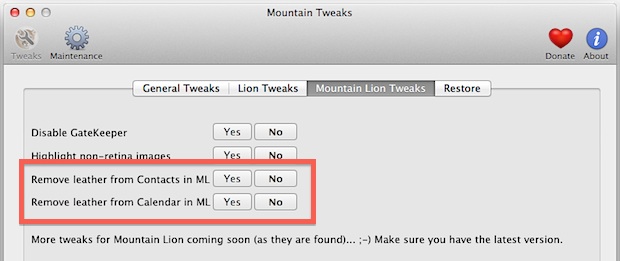
Skeumorphism seems to be here to stay, but if you’re bent on ridding OS X apps like Contacts (Address Book) and Calendar (iCal) of any traces of the stitched leather appearance, Mountain Tweaks makes it as easy as a couple of clicks for OS X Mountain Lion users. Get Mountain Tweaks free from TweaksApp Mountain … Read More
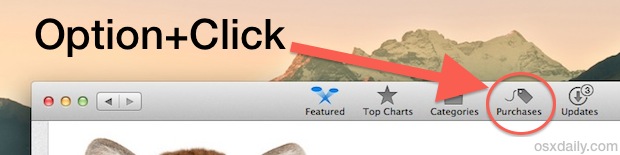
After you’ve upgraded to OS X Mountain Lion on the primary Mac you bought it from, the installer app deletes itself from your /Applications/ folder. This makes sense for those who only own a single Mac, but if you plan on installing OS X Mountain Lion on multiple Macs or just want to create an … Read More

Safari 6 is bundled with OS X Mountain Lion and it was just released for OS X Lion as well, and though it’s a very worthwhile update with some great features like the single search/url bar, one not-so-great change is the removal of the RSS subscribe button. The good news is a third party developer … Read More
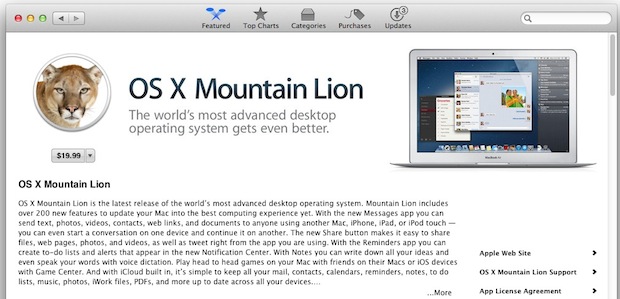
Multi-Mac households can buy OS X Mountain Lion once for $19.99 and use that single purchase to install and upgrade all of their other personal authorized Macs. This is allowed by Apple’s generous Mac App Store licensing agreement that began with Lion, and though most people don’t bother to read the fine print, here’s the … Read More

Though most users are best served by the easy upgrade process to OS X Mountain Lion through the Mac App Store, some people want to perform a clean install and start with a blank slate. A clean install means the drive is completely erased and Mac OS X 10.8 is installed fresh, nothing else is … Read More

Mountain Lion is out! You can upgrade a Mac right out of the App Store, but some people prefer to make a boot disk. If you’re in that group, rather than making a bootable OS X Mountain Lion installer yourself the old fashioned way, you can do it all in a few clicks with the … Read More

The release of OS X Mountain Lion is just around the corner (it’s official: July 25), but before jumping into the latest major Mac system update, you’ll want to do a few things. We’ve broken it down to a few simple essentials that are easy to follow:
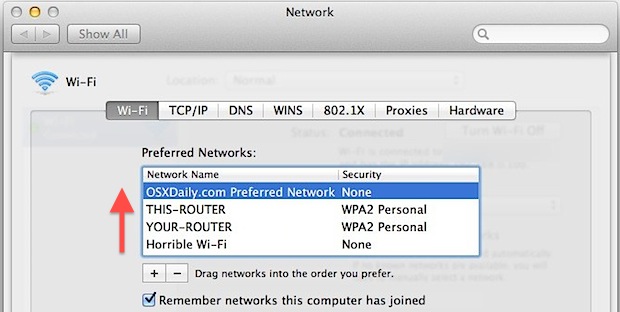
Open Wi-Fi networks are everywhere, if you’re stationed in an area with tons of them you’ll probably want to prioritize your own network to be the top wireless network to join so you don’t accidentally end up on someone elses unsecured network. Prioritizing is also a good idea if you use Personal Hotspot in public … Read More
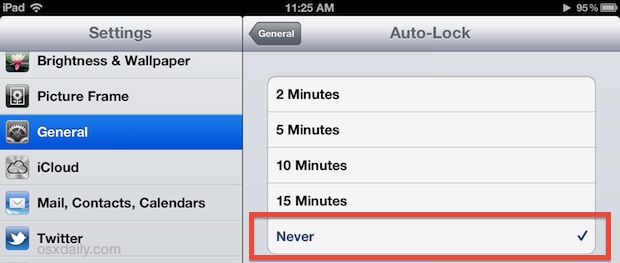
The iPad screen defaults to automatically dim itself and then turn itself off to black after a fairly short amount of time of inactivity. That’s great for preserving battery life of iOS devices, but if you’re like me you keep an iPad or iPhone alongside you full time while working as a control panel for … Read More
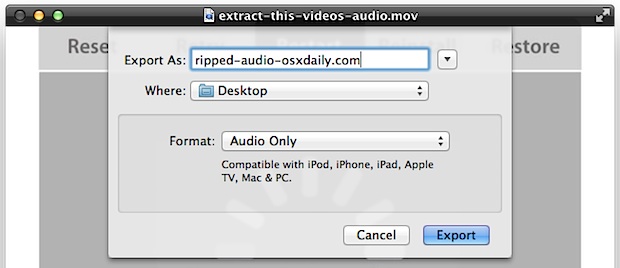
Though Mac OS X now includes built-in encoding tools to perform conversions of video to audio, you can also extract an audio track from a movie by using QuickTime Player. The great thing about ripping an audio track from a video this way is that mo downloads are necessary, and there is no enabling any … Read More




