How to Enable TextEdit Dark Mode on Mac
Dec 9, 2018 - 6 Comments
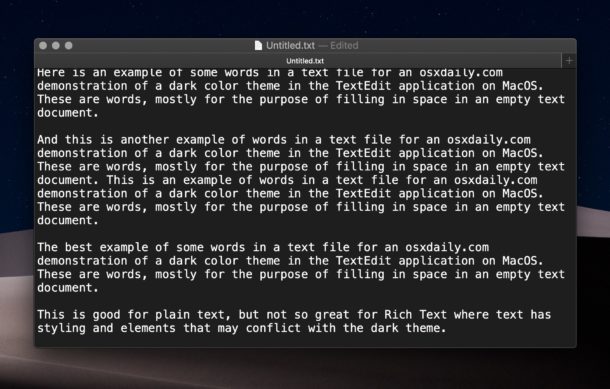
TextEdit, the default text editor bundled with MacOS, now supports a dark mode theme, which basically inverts the color display of the text editor so that white text appears on a dark background, rather than the default black text on white background. This makes working in TextEdit at night or in low light conditions a bit easier on the eyes, just like the system-wide Dark Mode MacOS feature in general does.
By Paul Horowitz - Mac OS, Tips & Tricks - 6 Comments