Fixing “The application ‘Application.app’ is not open anymore” Mac Error
Dec 4, 2016 - 42 Comments
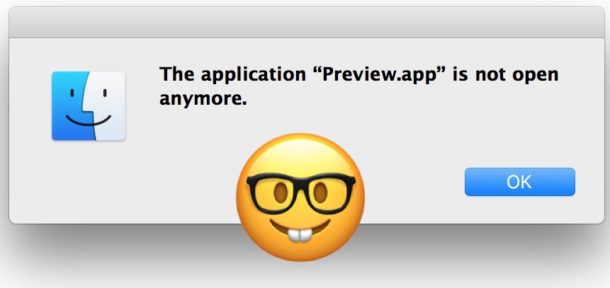
One of the more brilliantly worded Mac errors you may encounter is the curious “The application ‘Application.app’ is not open anymore.” message. This error is often seen when trying to interact with Preview, Finder, Steam, or many other apps either through one of the apps related files or through the app itself. Once you see the “Application not open anymore” error, the named app is basically inaccessible and unavailable and stuck open. Before you get overly concerned about what this means, we’ll show you a few ways to fix the “Application is not open anymore” error message in Mac OS.
By Paul Horowitz - Mac OS, Troubleshooting - 42 Comments



 Audiophiles who want to listen to the highest quality audio streaming from Apple Music and iTunes Radio from the Music app when on the go can enable an optional high quality streaming option in iOS Music settings. While this improves the sound quality and bitrate of the songs you listen to over cellular connections, the obvious downside is that Music streaming will use more cellular data, so this is a feature perhaps best limited to iPhone users with unlimited data plans, or those who don’t care about their cellular phone bill for whatever reason.
  Most iPhone users know that the Phone app keeps track of their outbound and inbound phone calls, and while you can use the Recents list in the Phone app to redial a recently called number, there’s another way to quickly fill in the last dialed number that is better suited for many circumstances.