
Rumor mill: iChat 4.0 to include Voicemail
Feb 15, 2007 - Leave a Comment
 The Unofficial Apple Weblog is confirming older reports from MacRumors that the upcoming version of iChat (to be bundled with Mac OS X 10.5 Leopard) will include voicemail features. The MacRumors report from December of 2006 says that users will be allowed to create a video greeting to serve as an answering machine message of sorts. A couple screenshots have surfaced of this feature, with TUAW posting the most recent, reproduced below. Of course like all Apple related rumors you should take this with a grain of salt. Concocted screenshots and fake imagery have long been part of the Mac rumor mill, and although these look legitimate, we just won’t know until the release of Mac OS X 10.5 Leopard, scheduled for later this Spring.
By OSXDaily - Mac OS, Rumor - Leave a Comment

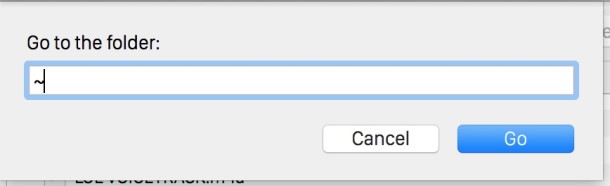
 Here is a great little app that works exactly as advertised, creating icons instantly with just a matter of dragging and dropping an image file on the program. Whether you want to create icons for personal usage, desktop customization, or you’re a developer and you need an icon for the latest shiny cocoa software you are working on, img2icns works flawlessly. It doesn’t get any simpler than this, and the app is totally free.
 UNO is a nice interface enhancer for the Mac. Mac OS X looks great, no arguments there, but if you ever get tired of the various themes of Brushed Metal, iTunes, and Aqua, then you might consider unifying the appearance with UNO. Installation is simple, and you’ll be given three choices for various aspects of your Mac’s appearance. My personal favorite is the simple UNO interface which features a simple, clean, and modern look. It is worth nothing that UNO is free but donationware, so there are no shareware fees and unlock codes to worry about.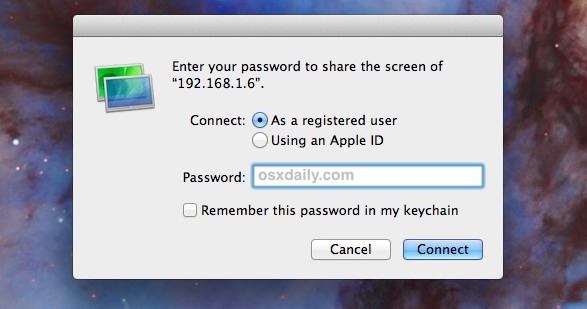

 Here’s a very useful feature that is widely overlooked by Mac Safari users, the ability to enable Private Browsing. What does that mean exactly? Basically it allows you to browse the web without a trace; nothing is added to the history, autofill, downloads window, and no information about what you are viewing or reading on the web is saved or cached.
  We all know that navigating around the Mac Finder is quick and easy, but you can speed things up by memorizing a few keystrokes that’ll be sure to come in handy. With that in mind, here are six quick keyboard shortcuts to make navigating around the Finder a tad bit speedier.
  iChat is a great instant messaging client, but Chax makes iChat even better with a slew of feature improvements that add to the functionality. My personal favorite is the ability to use tabbed chat, I frequently have several instant message windows going at once, and on a relatively small MacBook screen it sure is nice to be able to have them all in one window, this feature alone makes Chax worth installing. Another interesting option with Chax is the ability to auto-accept video conferences, allowing you to setup a remote spycam of sorts where ever your iSight equipped Mac is placed.
  Many Mac users avoid the command line altogether, a reasonable amount probably don’t even know it exists. For the curious out there, here are some basic and essential commands and functionalities to know if you want to get started using the Mac OS X Terminal. We’ll cover simple file manipulation, maneuvering in the file system, displaying and killing processes, and more. Remember to remove the brackets or the commands won’t work.
 There are many occasions where you may need to refresh a webpage and that web sites cache, ignoring any locally stored cache files on the Mac so that you can pull a fresh version of a website from the web browser. Being able to ignore existing cached pages when loading a website is very useful and it’s quite simple. This is sometimes called a force refresh, and you can do it with every single browser app out there.

 Highlighting, cutting, and pasting is a part of virtually every computer users daily routine. We select the desired text by dragging horizontally across the screen, highlighting what we want to copy or edit. But say you want to highlight vertically, in a column of text, rather than choosing an entire line. Easily done thanks to a simple keystroke, and just another well thought out and little known feature in Mac OS X.
 We all know how to launch applications from the GUI with a double-click on the icon or clicking on the app in the Dock, and there are numerous ways to do so, and they’re all relatively speedy. If you spend a decent amount of time with the command line though, it’s nice to be able to launch Mac apps directly from there as well. Also, the Terminal has a fair share of applications that run in text based mode, but maybe you wanted to edit a text file in the Mac OS X GUI app TextWrangler rather than the text based nano or vim.
  All of us have likely admired the results of a nice time-lapsed sequence, perhaps of a flower opening or the sun setting, the effect of time lapse video can be simply gorgeous. So, wouldn’t it be cool to do these on your own with little effort? With a Mac and the front-facing FaceTime / iSight Camera, you can with the help of this neat little app.



