How to Add an Escape Key to iPad Keyboard
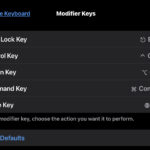
Need an Escape key on an iPad physical keyboard? If you don’t use the iPad keyboards Caps Lock key for CAPS LOCK, perhaps you’d rather it behave as an Escape key on your iPad?
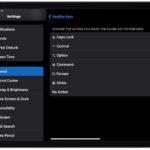
 If you use iPad with a Smart Keyboard or Magic Keyboard, you may find the default Globe key functionality of bringing up the Emoji picker to be not your preference. And perhaps you might want to replace the Globe key to serve as Escape key functionality instead, since these keyboards lack ESC by default. … Read More
OK so here’s a silly one, don’t take this too seriously… but as you may know, up until the release of the 16″ MacBook Pro, all MacBook Pro with Touch Bar models removed the hardware escape key along with the function keys and replaced it with the Touch Bar virtual screen. Sometimes they will show … Read More
Have you ever noticed that dedicated iPad keyboards do not have an Escape key? If so, you might be wondering how to type the Escape key on an iPad keyboard. iPads using an external keyboard, whether it’s an external Bluetooth keyboard, a Smart Keyboard, a brand like Brydge, Zagg, Logitech, or any other dedicated iPad … Read More
The Touch Bar on MacBook Pro is arguably the most controversial component of the current generation MacBook Pro (aside from the keyboard itself anyway), and if you’re a MacBook Pro user who does not like the Touch Bar experience for any reason, whether it’s poking around to find and use the touch ESC key, or … Read More
The new MacBook Pro with Touch Bar model includes a Touch Bar screen in lieu of the standard hardware function keys and escape key. Removing the Escape key may not be a big deal to some Mac users, but for many pro users having no hardware escape key could be considered a major frustration or … Read More