iOS

iOS is the mobile operating system that runs on iPhone, iPad, iPod touch, and other mobile hardware from Apple. Though it may look differently and run on different hardware, iOS is based upon a highly modified variation of Mac OS, the desktop operating system software that runs on Macs.

Search iOS

iOS 5.1.1 Released [Direct Download Links]

May 7, 2012 - 43 Comments
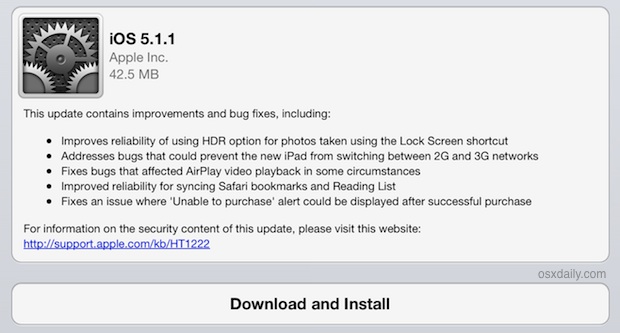
iOS 5.1.1 Download available through OTA

iOS 5.1.1 has been released for iPad, iPhone, and iPod touch, the software update comes as build 9B206 and includes a variety of bug fixes including an HDR photo issue, improved AirPlay, iPad network switching, an iTunes store fix, and improvements to Safari reading list syncing. The official changelog is listed below, and the software … Read More

Enable the Safari Debug Console on iPhone & iPad

May 7, 2012 - 2 Comments
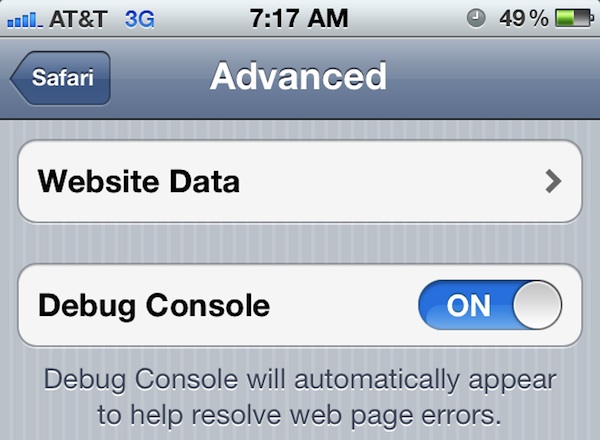
Enable the Safari Debug Console in iOS

Safari for iOS includes an optional debug console to help web developers track down and resolve issues with webpages on iPhone and iPad. Even better, with the latest versions of iOS it actually uses the same Web Inspector that Safari on desktop does too, meaning if you connect the iPhone or iPad to the computer … Read More

How to Delete iPhone & iPad Backups in iTunes Easily

May 4, 2012 - 6 Comments
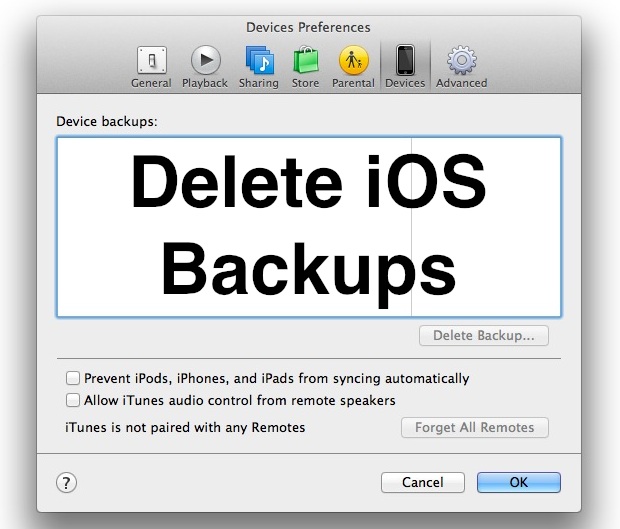
Delete iPhone, iPad, and iPod backups with iTunes

The iPhone, iPad, and iPod backups made with iTunes can take up a lot of local disk space on a computer. If you’ve moved the iPhone or iPad to sync with a new computer, sold an iOS device, or just want to potentially free up some disk space, you can easily delete these backups directly … Read More

Turn Dictation OFF or ON for iPad or iPhone

May 4, 2012 - 37 Comments
iPad Dictation

Dictation on the iPad and iPhone converts your words into text, it can make typing in iOS easier but it’s also easy to accidentally activate with an inadvertent touch. It works quite well, you just press the microphone button on the iOS keyboard and it listens to what you say, and then converts your speech … Read More

View Two Web Pages Side-By-Side on iPad with Dual Browser

May 1, 2012 - 7 Comments
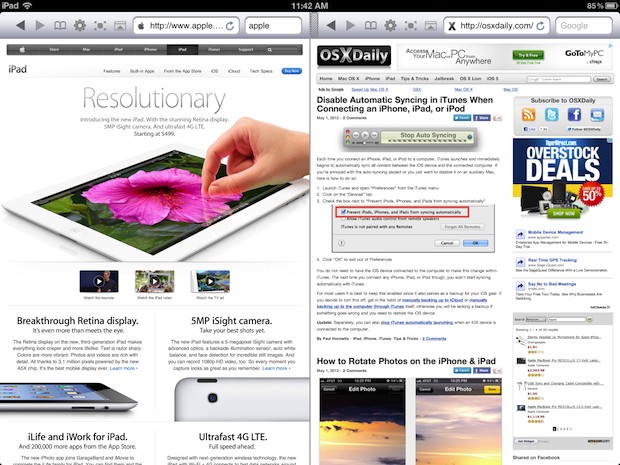
Dual Browser windows on iPad

If you’ve ever tried to do web research with concurrent browser windows from the iPad, you’ve probably found yourself either opening tons of Safari tabs, emailing yourself lots of links, dumping things into Pocket or a similar app, or just giving up and getting on a Mac laptop. A better solution is an iOS app … Read More

Disable Automatic Syncing in iTunes When Connecting an iPhone, iPad, or iPod

May 1, 2012 - 16 Comments
Stop Auto Syncing in iTunes

Each time you connect an iPhone, iPad, or iPod to a computer, iTunes launches and immediately begins to automatically sync all content between the iOS device and the connected computer. If you’re annoyed with the auto-syncing aspect of iTunes, or you just want to disable it on an auxiliary Mac or Windows computer, here is … Read More

How to Rotate Photos on the iPhone & iPad

May 1, 2012 - 14 Comments
Rotate photos on iPhone and iPad

Did you take a great picture with your iPhone, but your iPhone camera orientation was upside-down or sideways? This happens pretty often, and if you ever need to correct the orientation of an image by rotating or flipping a photo, you can easily do so right on your iPhone, iPad, or iPod touch. The image … Read More

How to Use Focus & Exposure Lock with the iPhone Camera

Apr 27, 2012 - 13 Comments
Focus and exposure lock on iPhone camera

You probably know that tapping once on the screen within the Camera app will cause the iPhone to automatically focus and adjust exposure to that region in the viewfinder, but if you’re trying to take a picture with challenging lighting or depth conditions the auto adjustments are not always ideal. Instead, use the excellent focus … Read More

How to Beam Photos Between iOS Devices Using iPhoto

Apr 26, 2012 - 9 Comments
Beam photos from iPhoto for iOS between iPad and iPhone

iPhoto for iOS has a great feature that lets you wirelessly beam pictures from one iOS device to another, this means that if you’re editing a photo on an iPad you can immediately send it over to an iPhone and vice versa, without ever leaving the app. Launch iPhoto on both iOS devices Tap the … Read More

Change the Mail Font Size on iPhone

Apr 25, 2012 - 4 Comments
Change Mail font size on iPhone

The font size of mail messages can appear really small on the iPhone, iPad, and iPod touch screens, but the default setting can be adjusted and increased substantially if the text size just looks too small. If you want to know how to change the font size of Mail on an iPhone and iPad, you’re … Read More

6 Tips to Free Up Tons of Storage Space on iPad, iPhone, and iPod Touch

Apr 24, 2012 - 72 Comments
Free Up Storage Space in iOS

Are you feeling the pinch of the limited storage capacity on an iPad, iPhone, or iPod touch? It happens to the best of us, even with large capacity iOS devices it is easy to run out of available storage! If you are running low on storage space, check out these tricks to greatly ease any … Read More

Unlock Any iPhone 4S, iPhone 4, or iPhone 3GS Right Now with SAM

Apr 23, 2012 - 108 Comments
iPhone unlocked using T-Mobile as carrier

A new unlock method has been discovered that works on every iPhone 4, iPhone 4S, and iPhone 3GS running iOS 5, iOS 5.0.1, and even iOS 5.1, the only requirement is the iPhone must be jailbroken already. If you’re already jailbroke go ahead, otherwise here are guides to jailbreak iOS 5.1 and another guide for … Read More

How to Instantly Scroll to Top of Web Page, App, or Screen in iOS

Apr 21, 2012 - 8 Comments
Instantly Scroll to Top in iOS

Need to quickly return to the top of an app, web page, or document, on your iPhone or iPad? This trick is for you! The next time you have scrolled far down on a web page in Safari, at the bottom of a Contacts list, deep down in Mail, or just buried down the screen … Read More

Stop iOS Asking to “Verify iCloud Password”

Apr 20, 2012 - 6 Comments
Verify iCloud Password message on iPhone

Many iPad, iPhone, and iPod touch users are annoyed with a constant message asking to “Verify iCloud Password: iCloud Backup requires that you verify your password.”, the popup dialog shows up randomly but most often when unlocking a device after periods of inactivity. Clicking OK and entering the password makes it go away for the … Read More

Restore Accidentally Deleted Apps on iPhone & iPad

Apr 19, 2012 - 101 Comments
App Store

Don’t freak out if you or someone you know accidentally deleted an app from an iPhone or iPad, because they can be easily redownloaded and restored at anytime through either of these simple processes.

Transfer Pictures to iPad the Easy Way with iTunes

Apr 19, 2012 - 47 Comments
Transfer Photos to an iPad

Transferring photos from a computer to the iPad is very easy with the help of iTunes. To get started, you’ll need either a Mac or PC with iTunes, a USB connector cable for the iPad, and a folder containing the pictures you want to transfer over to the iPad.

How to Zoom the Camera on iPhone

Apr 18, 2012 - 8 Comments
Zoom iPhone Camera

You can use a zoom-in feature on the hardware cameras included on iPhone, iPad, and iPod touch. The zoom trick is pretty easy to master but until someone shows you how to access it, zooming is hidden from the normal camera options. We’ll detail exactly how to zoom in and zoom out with the Camera … Read More

How to Forward a Text Message on iPhone

Apr 16, 2012 - 24 Comments
Forward text message SMS from iPhone

Forwarding text messages from one sender to another is made very simple on the iPhone. The process is the same whether it’s a text, SMS, MMS, or even an iMessage: From the Messages app, open the text message you want to forward Tap the “Edit” button in the upper right corner Tap the message you … Read More

Subscribe to OSXDaily

Subscribe to RSS Subscribe to Twitter Feed Follow on Facebook Subscribe to eMail Updates

Tips & Tricks

News

iPhone / iPad

Mac

Troubleshooting

Shop on Amazon to help support this site