Mac OS X

Search Mac OS X

Play Music Files in Quick Look from Anywhere in Mac OS X

Oct 5, 2010 - 9 Comments

You can play any song or audio file directly from within the Quick Look windows of Mac OS X, and that means music can be played from Finder as well as Open and Save dialogs, or anywhere else you can use the Quick Look function.

How to Check Bitrate of MP3, m4a, & Audio Files from Command Line of Mac OS X

Oct 4, 2010 - 10 Comments
Apple Music Icon

Mac users can quickly get the bitrate of any MP3, m4a, or other audio file from the command line of Mac OS X.

Mass Upload Pictures to Facebook from Mac the Easy Way

Oct 3, 2010 - 4 Comments

If you want to mass upload a ton of pictures to Facebook from your Mac, using the Facebook built-in photo uploader tool can be annoying. Another solution is to use Mac OS X’s highly customizable Services feature and download the Facebook Services automation scripts, which then allow you to select any number of pictures from … Read More

Free Keylogger for Mac OS X – logkext

Oct 1, 2010 - 9 Comments

If you’re looking for a discrete and barebones keylogger for Mac OS X, logkext will likely fit the bill. For the unfamiliar, a key logger does what it sounds like; it quite literally records every single key press and key stroke on a computer, and stores that typing data within an encrypted log file so … Read More

How to Reopen & Restore Windows from Last Session in Safari on Mac

Oct 1, 2010 - 2 Comments

Have you ever closed a window that you really wish you didn’t in Safari? It’s pretty common to accidentally close an important tab or browser window, and sometimes the Safari app will even crash too. But don’t freak out, you can re-open your last browser sessions in Safari regardless of why they were closed. Session … Read More

Command Line Cheat Sheet Wallpaper – Learn Commands with a Background Pic

Oct 1, 2010 - 15 Comments

If you’re new to using the command line and trying to learn the Terminal, setting a cheat sheet of command syntax for commonly used tricks as your background picture can be a pretty helpful way to help remember commands.

Show or Hide Macintosh HD and Other Disk Drives on the Desktop of Mac OS X

Sep 30, 2010 - 5 Comments

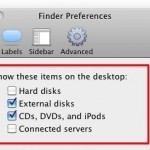
You can easily hide or show the “Macintosh HD” main hard drive from the desktop of Mac OS X, along with any other internal volumes and removable drives by adjusting some Finder options. If you like to keep your disk drives available on the desktop for easy access like this, here’s what you can do … Read More

Play the Droid Sound Effect from Mac OS X

Sep 28, 2010 - 9 Comments

You know those Motorola Droid commercials where a robotic voice says “Droid”, or more accurately Drooooid? Oddly enough, your Mac may have been the originator of this sound, and without any additional software you have the ability to play and save the sound yourself right in OS X.

How to Disable the iTunes Ping Sidebar in iTunes 10

Sep 25, 2010 - 15 Comments

You can disable the new iTunes Ping sidebar from appearing in iTunes 10.0.1 by using the following command within the Terminal:

Disable the iTunes Ping button next to songs

Sep 25, 2010 - 56 Comments

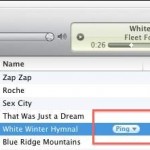
iTunes 10.0.1 is a minor update that replaced the iTunes store arrows with a Ping pull-down menu button instead. I think it clutters the iTunes interface a bit so here’s how to remove this feature. Launch the Terminal and type or paste the following: defaults write com.apple.iTunes hide-ping-dropdown -bool TRUE Then quit and relaunch iTunes … Read More

Use Finder Windows as Application Launcher in OS X

Sep 24, 2010 - 5 Comments

An underused feature of Mac OS X is the ability to use any Finder window as an application launcher. This is actually a feature of the Toolbar, which is usually thought to just hold things like the back and forward buttons, list and icon views, etc. But in fact, that same toolbar can launch apps … Read More

Measure distances and angles on screen with PixelStick

Sep 23, 2010 - Leave a Comment

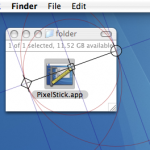
PixelStick is a great utility for designers who want to quickly measure distances and angles on their screen. Just launch the app and start dragging the endpoints to adjust measurements and get the pixel dimensions. This is an awesome tool, and it’s free to download. You can grab PixelStick for free from the developer, Pixelated … Read More

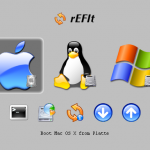
Triple boot Mac, Windows, and Linux, with rEFIt without using Boot Camp

Sep 22, 2010 - 3 Comments

If you’re looking for a solution to triple boot Mac OS X with Linux and Windows without using Boot Camp, you can do this using a third party boot menu called rEFIt (get it? re-EFI-it? rEFIt?? Alrighty then). rEFIt works very well and, upon boot, you’ll discover a nice menu like the above screenshot on … Read More

Convert DOCX to DOC for Free with your Mac

Sep 22, 2010 - 21 Comments

If you need to convert a .docx file to .doc, don’t pay for one of the many conversion sites or utilities out there. Your Mac has the ability to handle the file conversion entirely on it’s own already built in, and it’s completely free, no downloads or third party software is required. To convert the … Read More

Troubleshoot a Mac with AppleJack

Sep 21, 2010 - Leave a Comment

AppleJack is a really handy troubleshooting utility for Mac that works even if you can’t load the Mac OS X GUI. Running in Single User Mode, it’s a simple menu-based tool to run a series of tests and repairs on the Mac OS. With AppleJack you can easily: * Repair Disk * Repair Disk Permissions … Read More

Free Anti-Spyware for Mac

Sep 20, 2010 - 15 Comments

Who doesn’t love free software? MacScan is a full service anti-spyware detection tool for Mac OS X and for a short time is available entirely for free, so you need to jump on this one quick. For a limited time only (just today: 9/20) you can download this anti-spyware tool for FREE. Get the free … Read More

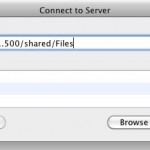
Map a Network Drive on a Mac

Sep 20, 2010 - 48 Comments

If you frequently access a file server from a Mac it’s pretty helpful to map the network drive to your desktop. There’s two ways to do this, one method is just mapped for one time use and will reset after a reboot, and another method is a more permanent route that allows the mapped network … Read More

Disable the Sending of Location Services Data to Apple from a Mac with Snow Leopard

Sep 20, 2010 - 5 Comments

Here’s something you might not know. Your Mac will periodically send out anonymized data to Apple with location specific information, the intended use is for providing location based services to it’s customers with Apple products. But in Mac OS X Snow Leopard you can turn this off and disable the location feature.

Subscribe to OSXDaily

Subscribe to RSS Subscribe to Twitter Feed Follow on Facebook Subscribe to eMail Updates

Tips & Tricks

News

iPhone / iPad

Mac

Troubleshooting

Shop on Amazon to help support this site