macOS

Search macOS

How to Send Read Receipts to Specific Contact in Messages for Mac

Jan 29, 2017 - 1 Comment

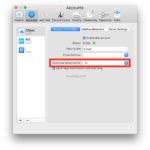
Send read receipts to specific contact in Mac Messages

Read Receipts in iMessage allow the sender of a message to know when a recipient has received it, and both the Mac OS and iOS Messages apps support this feature when communicating with other iMessage users. But many Mac users don’t want to send Read Receipts to everyone, and with the latest versions of Mac … Read More


How to Unlock Mac with Apple Watch

Jan 27, 2017 - 17 Comments
Unlock Mac with Apple Watch

Mac users with an Apple Watch can unlock their Mac by simply wearing their watch, thereby bypassing the need to enter a password at the boot and login screens. This great feature makes logging onto and unlocking a Mac remarkably easy and quite fast for Apple Watch wearers, but you’ll have to enable it first.

How to Play Live Photos in Photos for Mac

Jan 26, 2017 - 7 Comments

Wondering how to play Live Photos in the Photos app on Mac? Fortunately it’s quite simple, and there’s no use of 3D Touch or any funky tricks necessary. In fact, in some ways it’s actually easier to play a Live Photo picture video in Photos for Mac than it is when viewing Live Photos in … Read More

How to Record a Movie Directly Into iMovie on Mac

Jan 25, 2017 - 2 Comments
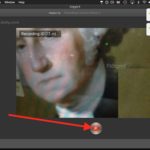
Stop recording the movie intoiMovie

Have you ever wanted to record a movie directly into iMovie on Mac? It’s easy to capture live video from a Mac built-in camera and have it instantly imported into iMovie, from there you can edit it with the iMovie tools, incorporate it into another video project, or export the recorded movie as a file … Read More

Using TextEdit Tabs on Mac

Jan 24, 2017 - 10 Comments
TextEdit tabs on Mac

If you use TextEdit on Mac for your simple word processing and quick plain text editing needs like a Notepad equivalent from the Windows world, you’ll likely appreciate that the latest versions of Mac OS support tabbed windows in TextEdit. This can dramatically reduce window clutter in the TextEdit app, just like tabs work elsewhere.

Where Do AirDrop Files Go? Locating AirDrop Files on Mac and iOS

Jan 20, 2017 - 36 Comments
AirDrop

AirDrop is the excellent wireless file transfer feature available to Mac, iPhone, and iPad, and with it you can easily and quickly transfer pictures, movies, documents, and whatever else between any iOS or Mac OS device. Being on the receiving end of AirDrop, have you ever wondered where AirDrop files go on a Mac or … Read More

How to Disable Boot on Lid Open on MacBook Pro (2016 & Later Intel Models)

Jan 19, 2017 - 33 Comments
New MacBook Pro boots automatically when lid is opened

The newest MacBook Pro models default to automatically powering on when the laptops lid is opened, or when the Mac is connected to power. This may be desirable to some users, but not everyone may be pleased with an automatically booting MacBook just when the display lid is lifted open. With a visit to the … Read More

How to Kill a Process by Name Instead of PID via Command Line

Jan 12, 2017 - 1 Comment
Terminal in macOS

Command line users rely on the ‘kill’ command to terminate a process as defined by the appropriate process identifier (PID). While there’s nothing wrong with targeting processes by their PID, another approach which is often easier is to target a process by name, rather than its unique identifier. There are a few ways to kill … Read More

Use Tabs in Maps for Mac

Jan 11, 2017 - Leave a Comment
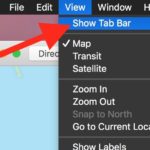
Show tab bar in Maps

Tabs offer an excellent way to manage multiple windows without overly cluttering the screen of a Mac, a feature which is particularly valuable for smaller screen displays. Like many other apps in new Mac OS releases, the Apple Maps app for Mac now includes the ability to have multiple tabs of maps open concurrently, either … Read More

How to Manually Refresh Touch Bar on MacBook Pro

Jan 11, 2017 - 58 Comments
Refresh the Touch Bar on Mac

The Touch Bar on MacBook Pro changes dynamically depending on what application is open and what action is going on within Mac OS. Or at least, that’s what’s supposed to happen. Rarely, the Touch Bar stops working, will get stuck and become unresponsive, maybe even display an erroneous button, or show a blank button that … Read More

Ignoring Built-in Trackpad Input When Using External Mouse with MacBook

Jan 5, 2017 - 19 Comments
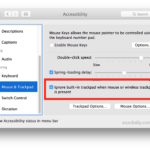
Disable trackpad when external mouse or trackpad connected to Mac

The built-in trackpad on MacBook Pro and MacBook functions as the primary input method of the Apple laptops, but if you primarily use an external mouse or external trackpad you may occasionally find the built-in trackpad receives input you’d rather the Mac ignore. With a simple settings adjustment you can do exactly that, ignoring any … Read More

How to Delete Large Apps from Mac to Free Up Storage

Jan 4, 2017 - 14 Comments
Delete Mac Apps with Storage Management

Many Mac users have apps installed on their Mac which take up considerable storage space but generally go unused. Accordingly, Mac users can free up storage space on their computer by tracking down large Mac apps and deleting them. The latest versions of MacOS offer a very easy way to track down large applications, see … Read More

How to Reply to Messages on Mac from Notifications

Jan 1, 2017 - 1 Comment
Reply to messages from Notifications on Mac

Mac users can respond to Messages faster than ever by replying directly from a message notification, without ever having to open the Messages app. This effectively means that you can have an entire conversation through the message pop-ups in Mac OS without using the Messages app, though keep in mind the experience will be limited … Read More

How to Use Tabs in Pages for Mac

Dec 30, 2016 - 23 Comments
Pages

Pages for Mac has gained the ability to use Tabs, allowing for tidy document management within the Pages app when having multiple documents open simultaneously.

How to Hide Pictures in Photos for Mac with Hidden Album

Dec 29, 2016 - 12 Comments
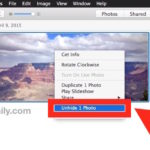
Unhide a photo in Photos for Mac

If you have some picture(s) you’d rather not shown alongside your regular photo album in Photos for Mac, you can hide those photos and then use a special Hidden Photos album to contain the hidden images and browse them separately. These hidden pictures will be self contained and separate from the regular album views, though … Read More

How to Add Fingerprints to Touch ID on Mac

Dec 21, 2016 - 12 Comments
Add new fingerprint to Touch ID on Mac

You can add additional fingerprints to Touch ID equipped Macs, providing the option for more than one fingerprint to unlock the Mac, be used for Apple Pay, and to make purchases from the iTunes and App Store.

Move a PiP Video Player Window Anywhere on Mac

Dec 19, 2016 - 1 Comment
Move the PiP window anywhere on Mac

Many of you may use the excellent Picture-in-Picture mode on the Mac to watch a video or movie while doing something else on the computer. In doing so you have likely noticed that the Picture-in-Picture (PiP) windows snap into one of the four corners of the Mac display. But what if you want to move … Read More

How to Fix Mail Not Showing Attachments in Mac OS Sierra

Dec 17, 2016 - 54 Comments
Mail download attachments all

Some Mac users have discovered that Mail app has stopped showing attachments after updating to Mac OS Sierra, despite not having manually removed the attachments themselves. Additionally, existing emails with attachments may appear as if the email attachments disappeared entirely. While having disappearing Mail attachments can be alarming, you can usually resolve this issue with … Read More

Subscribe to OSXDaily

Subscribe to RSS Subscribe to Twitter Feed Follow on Facebook Subscribe to eMail Updates

Tips & Tricks

News

iPhone / iPad

Mac

Troubleshooting

Shop on Amazon to help support this site