macOS

Search macOS

Apply Image Adjustments to Other Photos on Mac with Copy & Paste

Aug 6, 2016 - 9 Comments
Paste photo adjustments on Mac

If you have spent a while adjusting a picture to your liking in Photos app for Mac, you can easily apply those image adjustments and edits to other pictures in Photos app as well. This is accomplished through a handy but little-known copy & paste adjustments ability, and it’s quite easy to use.

How to Use WhatsApp for Mac

Aug 5, 2016 - 12 Comments
WhatsApp

Want to use WhatsApp on a Mac? Now you can. WhatsApp is a very popular cross-platform messaging client from the iPhone and Android world that is now easily used on a Mac or Windows PC, so if you’re one of the many millions of people who use WhatsApp for communication, you can enjoy the experience … Read More

Enable Additional Photos Adjustments in Mac Photos App

Aug 3, 2016 - 5 Comments
Advanced image editing adjustments on Mac Photos app

The Mac Photos app serves as a photo manager and image editor, and while the default toolset for picture adjustments is sufficient for many users, you can enable six additional photos adjustments to gain even more control over your pictures. We’ll show you how to enable image adjustment tools for Sharpen, Definition, Noise Reduction, Vignette, … Read More

Turn Standard into Administrator Account in Mac OS X

Aug 3, 2016 - 15 Comments
From Standard to Administrator account on Mac OS X

Many Mac users have multiple user accounts on their computer, some of which may be created for other people to use, perhaps a separate work account, or a guest account, and so on. Typically when you create a new user account on the Mac it is a “Standard” account, which gives that user access to … Read More

Fixing a Broken EFI Partition on Mac

Jul 28, 2016 - 25 Comments
Disk Utility in Mac OS X

Though it is an unusual occurrence, a Mac may encounter a broken or damaged EFI partition which typically prevents the Mac from booting and the Mac OS system software from loading. This is usually demonstrated as a boot screen that is stuck on the  Apple logo, sometimes with or without a wait cursor that … Read More

Fixing an Installer .pkg Stuck on “Verifying” in Mac OS X

Jul 26, 2016 - 75 Comments

Mac users may find that a system update, installer, or package (pkg) can get completely stuck in a verification sequence, with a pop-up alert that says “Verifying ‘name.pkg’…” while showing the Gatekeeper icon and a progress bar that never updates. The effect is the package or installer won’t run as it never completes verification, making … Read More

Accessing the Downloads Folder on Mac & Finding Downloaded Files

Jul 24, 2016 - 31 Comments
Mac downloads folder

Ever wondered where all the downloaded files go on your Mac? By default, most apps will transfer downloaded files into the user Downloads folder. This applies to all downloads to a Mac made from the web with Safari, Chrome, through AirDrop, or from the many file transfer apps out there. There are many different ways … Read More

How to File Bugs & Offer Feedback in MacOS Sierra

Jul 22, 2016 - 4 Comments
Feedback Assistant in MacOS Sierra

Beta testers of macOS Sierra can send feedback and bug reports directly to Apple, offering a chance to help shape the future of the Mac operating system. Reporting bugs and offering feature feedback is part of the fun of beta testing (and part of the purpose of the public betas), so if you are running … Read More

A Prank Kernel Panic Screen Saver for Mac OS X

Jul 22, 2016 - 16 Comments

Little is dreaded more in the Mac world than the kernel panic, the Mac OS X equivalent of the Windows Blue Screen of Death of yesteryear. While modern versions of Mac OS X don’t display the kernel panic screen like they used to, that doesn’t mean you still can’t have some mischievous fun with a … Read More

How to Add an Image to Email Signature in Mail for Mac

Jul 21, 2016 - 30 Comments
Create an image email signature Mac Mail

Custom email signatures are commonplace, whether they include simple contact details or a complete HTML signature on Mac Mail. A frequent further customization to email signatures is to include an image or logo, which is what we will show you how to create in the Mac Mail app for Mac OS X.

How to Downgrade MacOS Sierra Beta to OS X El Capitan

Jul 19, 2016 - 14 Comments
Downgrade MacOS Sierra to OS X El Capitan

Some Mac users may wish to downgrade from MacOS Sierra Beta and revert back to OS X El Capitan, this is particularly common if you have found things to be less than stable or otherwise problematic and would like to return to a more stable operating system experience – a fairly common scenario for beta … Read More

Move Cursor Word by Word in Terminal for Mac OS X

Jul 14, 2016 - 7 Comments

If you spend a lot of time at the command line, you undoubtedly find yourself adjusting and editing text and commands, and you likely often need to move the cursor to a further position in the Terminal from where it’s actively located. Sure you can use the arrow keys to move left and right on … Read More

Safari Web Content “Not Responding” on Mac? Fix the Beach Ball with These Tips

Jun 28, 2016 - 16 Comments
Safari Web Content Not Responding extreme version on Mac OS X

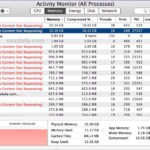
Mac Safari users may occasionally experience an issue where the web browser becomes unresponsive for an extended period of time, usually accompanied by the appearance of the spinning multi-color beach ball cursor. With a little digging under the hood, this almost always corresponds with the appearance of “Safari Web Process (Not Responding)” showing up in … Read More

How to Remove a Device from an iCloud Account via iOS

Jun 22, 2016 - 7 Comments
Remove device from Apple ID and iCloud list

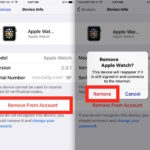
You can remove a device from the devices list on an iCloud account by using the Settings app in iOS. This can be helpful if you have gifted or sold an iPhone, iPad, iPod touch, Mac, or Apple Watch, already removed iCloud from that device, and now you no longer want to have that device … Read More

Get Mac OS X to Stop Asking to Use New Disks for Time Machine

Jun 22, 2016 - 8 Comments
Time Machine in Mac OS X

All Mac users should setup Time Machine backups with an external hard drive, Time Capsule, or network drive to insure they have regular automatic backups made of their stuff and MacOS X installation. But once you have a backup drive established with Time Machine, or if you use a different backup approach entirely, you may … Read More

How to Install MacOS Sierra 10.12 Beta Safely & Dual Boot El Capitan

Jun 20, 2016 - 22 Comments

Creating a dual boot environment is an ideal solution for Mac users who want to install and try macOS Sierra but without interfering with their primary stable Mac OS X El Capitan installation. This tutorial will walk through the entire process of setting up such an environment, including partition a disk, and installing macOS Sierra … Read More

How to Change Safari Reader Font, Text Size, & Color Theme on Mac OS X

Jun 20, 2016 - 4 Comments
Safari icon

Safari Reader offers an alternate reading view for webpages which strips away most of a websites styling and reducing the page to just the content of the article. The Safari Reader feature is great for reading long articles on the web, and Mac users can further improve the Reader experience by customizing the look, font … Read More

Download the MacOS Sierra Default Wallpaper

Jun 15, 2016 - 13 Comments
MacOS Sierra Default Wallpaper on a MacBook Pro

When Apple debuted macOS Sierra to the world, we all got a glimpse at the gorgeous wallpaper of a sunset alpenglow hitting a mountain range on the screens of the demo Mac. Apple has also given us a look at that beautiful mountain range wallpaper on their preview page for MacOS Sierra too. But you … Read More

Subscribe to OSXDaily

Subscribe to RSS Subscribe to Twitter Feed Follow on Facebook Subscribe to eMail Updates

Tips & Tricks

News

iPhone / iPad

Mac

Troubleshooting

Shop on Amazon to help support this site