tips

Search tips

Find your IP Address on a Mac

Nov 21, 2010 - 24 Comments

Knowing your Mac’s IP address is important for setting up a network or sharing files, here’s two different ways to find your IP address in Mac OS X; an easy way through the GUI and a more technical approach with the command line. These methods will be the same whether you are connected via ethernet … Read More

Add a Timestamp to iChat Messages with a Keyboard Shortcut

Nov 18, 2010 - 3 Comments

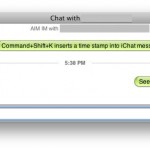
Want to time stamp a conversation or a message in the iChat messaging client? You can do that quickly with a keystroke on the iChat app in Mac OS X.

Enable IP Blocking when downloading torrents in Transmission

Nov 17, 2010 - 24 Comments

Transmission has a built-in IP blocklist for what are determined to be “bad peers” and it should be enabled if you use Transmission with any sort of regularity. The blocklist helps to insure a better experience with torrents and also helps to protect your privacy. How to enable the IP Blocklist for downloading torrents in … Read More

How to Use the Screen Recorder on a Mac

Nov 16, 2010 - 99 Comments

If you need to record screen activity on a Mac, you don’t need to download any additional software because the functionality is built directly into Mac OS X with the QuickTime app. Yes, the same QuickTime video player app that lets you watch videos also lets you record the screen of the Mac, and it’s … Read More

Fast Forward in QuickTime & Speed Reverse with Gestures

Nov 16, 2010 - 4 Comments

You can fast forward or quickly rewind any video playing in QuickTime Player in Mac OS X (or Windows if you go that direction) by using a trackpad or magic mouse. This is really easy to use but it’s best followed along and tried out yourself than just reading a tutorial, so launch QuickTime Player … Read More

How to Reset PRAM on a Mac

Nov 15, 2010 - 51 Comments
Finder icon on the Mac

Resetting your PRAM (or NVRAM) is a common troubleshooting technique when a Mac is misbehaving. We’ll cover how to reset PRAM on any Mac, as well as providing some additional information about PRAM and what it is to better help you understand when and why you’d want to reset it.

How to Get a Refund for an iPhone App

Nov 13, 2010 - 22 Comments

If you bought an iPhone app and it didn’t work on your device due to technical failures or limitations, or perhaps the app purchase was made in error by a child or someone else using your device, you may be eligible for a refund from Apple. Apple will selectively refund app purchases, though it’s not … Read More

How to Disable Ping in iTunes 10.1

Nov 13, 2010 - 2 Comments

Ping is a feature in some versions of iTunes, and you can easily disable Ping in the newest version of iTunes 10.1. (Remember, despite sharing a name Ping in iTunes which is a social network of sorts is completely different from ping at the command line which confirms if an IP address is available or … Read More

Mute the Volume Adjustment Quack Sound on a Mac

Nov 12, 2010 - 6 Comments

You can mute the quack sound that your Mac makes when adjusting audio levels by adjusting a system preference setting. Yes, that means you can completely turn it off and stop the little quack / pop sound from happening anytime the volume changes. Here is what you will want to do in OS X:

Use Time Machine to backup to a networked Windows or Linux drive

Nov 10, 2010 - 3 Comments

Time Machine is a very convenient backup solution for Mac users, but typically requires an external drive to backup to. If you’ve got a network with an extra Windows or Linux PC hanging around with tons of disk space, you can get Time Machine to backup to that computers excess disk space instead of an … Read More

Make a Mac Sing Songs

Nov 9, 2010 - 13 Comments
Finder icon on the Mac

I know you’ve always thought to yourself, wouldn’t it be great if my Mac could see me songs? Or wouldn’t it be wonderful if I could make someone elses Mac sing songs? Well, you’re going to be thrilled to discover that, yes, your Mac can actually sing, thanks to the text-to-speech engine and the intonation … Read More

How to Turn Bluetooth On or Off with the iPhone or iPad

Nov 8, 2010 - 8 Comments

Bluetooth is great since it allows for anyone to wirelessly sync hardware together. It’s typically turned off by default in iOS, so you’ll want to turn it on first if you intend to use the Bluetooth connectivity options. On the other hand, if you don’t use bluetooth on your iPhone or iPad there’s little reason … Read More

The Mac Menu Symbols & Keyboard Symbols Explained

Nov 7, 2010 - 14 Comments

If you’re new to the Mac or Apple platforms, learning the menu keyboard symbols that appear in the menus and on some keyboard keys, can be a little daunting. Nonetheless it’s not too complex, and knowing what the Apple keyboard symbols mean and what keys they stand for to access the function is essential for … Read More

How to Temporarily Turn Off iPhone Caller ID to Make a Blocked Call

Nov 3, 2010 - 5 Comments
iPhones

You may know that iPhone users can opt to turn off Caller Id on their iPhone to always make blocked calls from that number and phone, this means when your calls will show up as “blocked” to the recipients phone all the time. But you may not want to block every call all the time, … Read More

iTunes Visualizer Fun

Nov 3, 2010 - 2 Comments

The iTunes Visualizer is a neat feature of iTunes that’s been around forever, more recent incarnations of the app have brought a more attractive visualizer which is a bit more fun to play around with. In fact, there’s some hidden commands that you can access while in iTunes Visualizer that modify the appearance of what’s … Read More

Open and UnRar RAR Files on a Mac

Nov 1, 2010 - 17 Comments

If you need to open and expand rar files in Mac OS X, you can unrar files with two free utilities available for the Mac. Not only will either of these apps quickly open and decompress .rar files, but it also has the ability to restore corrupted and missing archives using par files. Archive restoration … Read More

Show SMS Character Count on the iPhone

Nov 1, 2010 - 3 Comments

You can have your iPhone display the character count of text messages by enabling an option within the settings, here’s how to do this in iOS:

Does your Mac Need More Memory? How to Know if you Need a RAM Upgrade

Oct 29, 2010 - 41 Comments

Does your Mac need more memory? How can you tell? Often when a Mac needs more RAM things will start slowing down and you’ll suffer a noticeable performance hit. This can impact everything from the speed of the computer, to how long it takes to launch apps, to sluggishness when interacting with apps, and more. … Read More

Subscribe to OSXDaily

Subscribe to RSS Subscribe to Twitter Feed Follow on Facebook Subscribe to eMail Updates

Tips & Tricks

News

iPhone / iPad

Mac

Troubleshooting

Shop on Amazon to help support this site