
New Finder Announced for Mac OS X 10.5 Leopard
Jun 11, 2007 - 2 Comments
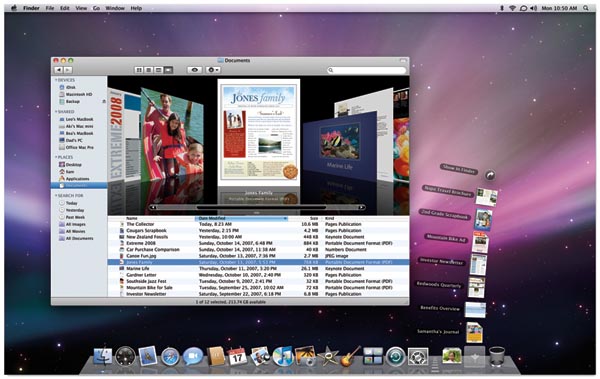
Some big announcements were made today at WWDC 2007, but amongst the most exciting is the introduction of a new Finder in Mac OS X Leopard.
The new finder functions a lot like iTunes, even down to Cover Flow, which is no longer for just flipping through albums.
In the new Finder, Cover Flow allows you to flip through documents, images, anything that you would normally browse through in the Finder.
The effect is pretty cool to see, so be sure to check out the official video on Apple’s website (scroll towards the bottom of the page to find the video).






I’d love to see some sort of split screen view similar to what ForkLift has, this view makes moving files around so much easier!
I am not excited about the new finder at all, i dont want iTunes controlling my computer
this is like a lame attempt at stealing the flip feature of Vista