
Expose Keyboard Shortcuts for OS X
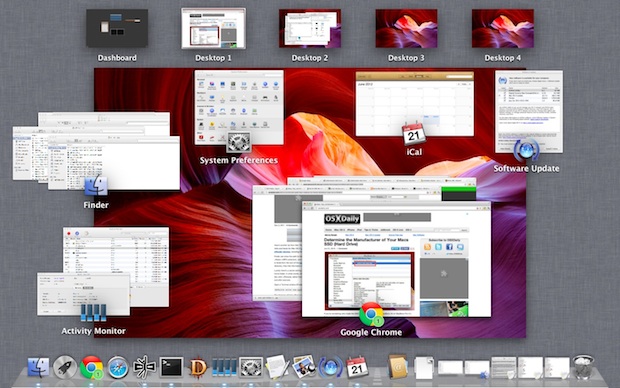
 Expose is an awesome feature of Mac OS X that functions as sort of like a window manager and app switcher all in one. I use the feature so often it is almost impossible to live without.
If you don’t use Expose, you should start, and this simple little list of keyboard shortcuts with each accompanying action is a good place to learn how to get started. These are set in a “Function Key – Function” list, so it’s pretty easy to follow and understand.
3 Basic Expose Keyboard Shortcuts
• F9 – Show windows for all apps
• F10 – Show windows for one app
• F11 – Show desktop
Those tricks get you into Expose (now called Mission Control these days, the functions are the same), but what many users don’t know is that once you’re inside Expose you can go further and then use the following tricks to navigate from within the Expose windows.
5 Expose Interaction Keyboard Shortcuts
• Tab – Cycle through applications and their windows
• Shift-Tab – Go to the previous application
• Arrow Keys – Move between windows in Exposé
• Spacebar or Enter – Bring selected window to the front
• Esc – Leave Exposé, ignoring window selection
As already mentioned, this works in prior versions of OS X when Expose was called Expose, but also in modern versions of Mac OS X with Mission Control. Awesome!






This is awesome for new people to mac like me. Thanks a lot!
Check out this new book. It has over 1,000 OS X keyboard shortcuts for 10 core Mac apps.
http://www.osxkeyboardshortcuts.com/products/shortcuts-book.html
if you are on the browser thing when you press “menu” on the remote (or apple, esc) press ctrl, alt, apple and escape to exit immediately without exit animation :)
Thanks! I didn’t know I could use tab to cycle through like that — this actually makes Exposé useful for me, finally.
You forgot the one I use the most: F11 – Show Desktop
FYI, F9 and F10 are backwards