
Watch Snow Leopard Installation Details with the Installer Log
Aug 29, 2009 - Leave a Comment
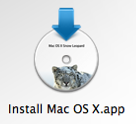 If you’ve ever wanted to know what’s being executed, which packages are being installed, and the installation directories and file locations of a Mac OS X system install, then you’ll enjoy this tip sent to us on Twitter by Murtika Laksmi:
While installing Snow Leopard do the following:
* At the “Mac OS X Installer” menu select “Window > Installer Log”
* In the “Installer Log” select “Show All Logs”
* Resize the window so you can see both the text and progress bar
It was quite interesting to watch during my upgrade!
Thanks Murtika!





