
Watch Movies in ASCII Art with VLC
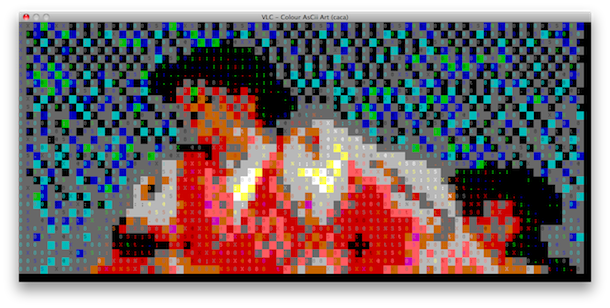
Ever wanted to watch a movie in ASCII art? What’s that? You haven’t even thought about it before? In what might be the single most useless feature to ever grace a video player, VLC allows you to output any video playback as… ASCII art. Yes, the kind of ASCII art that was quite fancy on BBS’s in 1988.
Other than the humor and prank value, or perhaps to create your own variation of the Star Wars ASCII art thing, I don’t see much point to this, but it is very entertaining and pretty funny. So, let’s cover how you can watch movies rendered entirely in ASCII art with VLC player.
How to Watch Movies Rendered in Color ASCII Art with VLC
You’ll obviously need the VLC app and a movie to use this, so have a video of something you feel like converting into ANSI/ASCII before beginning. Ready for the ridiculous? Here we go:
- Open VLC
- Go to the VLC menu and choose “Preferences”
- Click on “Video”
- Now click on the “Output Module” drop down, and from the list of choices select “Color ASCII art video output”
- Restart VLC, open your movie file, and be amazed at the flick rendered in colorful text
BTW this tip is cross platform for all VLC players, whether it’s Mac OS X, Windows, Linux, and whatever else you feel like using this on.
The screenshot above shows the visually stunning movie The Fall in visually ridiculous ASCII mode. Wow.
Is this amazing or what? Obviously this is going to be how you watch movies from now on, right?
Ok so it’s goofy, but there’s nothing wrong with that right? Have fun!






My screen is just a complete mess, and i can’t see the ascii effect, it just can’t stop flickering
Worked perfectly for me! Very cool novelty.
I just gave this a go and VLC crashes right after opening the file…not sure what to do now!
I tried updating VLC, tried avi ,wmv, its just a big old mess
Hi there. Any idea how to export video after I have converted it?